
Simcenter Simlab
Repeatable multiphysics workflows for complex assemblies
Bring model preparation, analysis setup and results review into a connected workflow with Simcenter Simlab, formerly Altair SimLab. Automate recurring tasks and evaluate structural, thermal, electromagnetic and fluid behavior with the appropriate solver tools.
What is Simcenter Simlab?
Simcenter Simlab is a process-oriented multiphysics environment for analyzing the performance of complex assemblies. It connects CAD data, automated model preparation and application workflows so that recurring simulation tasks can follow a repeatable process.
Its strength is the connection between the model and the engineering question. Prepare an assembly, select the required physics, define materials and boundary conditions, run the supported solvers and review results in one environment. Templates and automation help teams repeat the workflow when geometry or design parameters change.
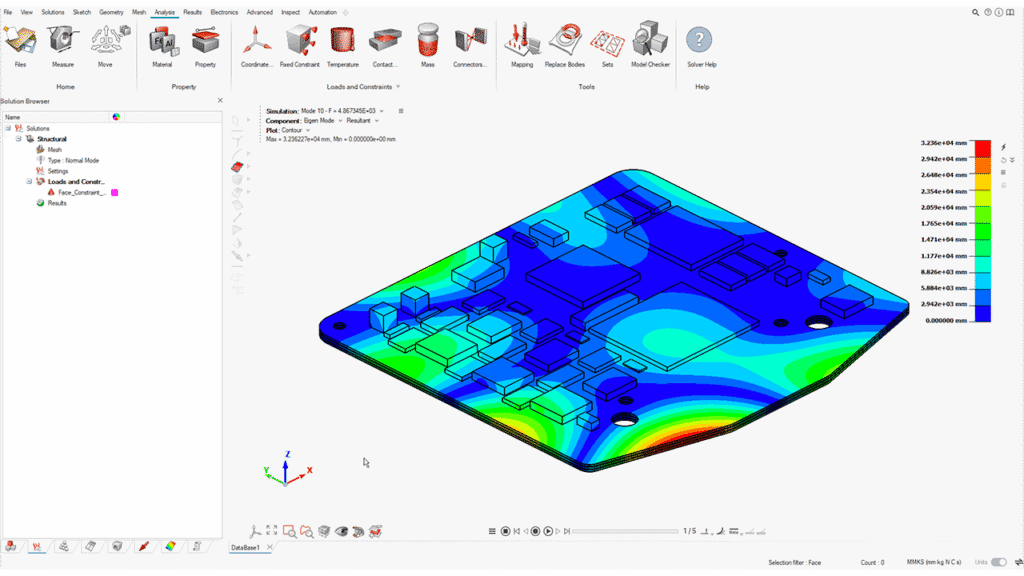
Simcenter Simlab capabilities
- CAD and assembly preparation: Import engineering geometry and apply geometry editing, defeaturing and feature-based model preparation for analysis.
- Automated meshing: Apply supported hex, tetrahedral and midsurface meshing approaches with controls suited to the geometry and physics.
- Template and script automation: Reuse application workflows and extend repeatable model preparation through scripting, batch operations and Python APIs.
- Multiphysics solution setup: Build supported structural, thermal, electromagnetic and flow analyses and define coupling where the chosen solutions support it.
- Electronics modeling: Work with CAD and ECAD data, PCB representations and assembly-level analysis for electronics durability and related thermal studies.
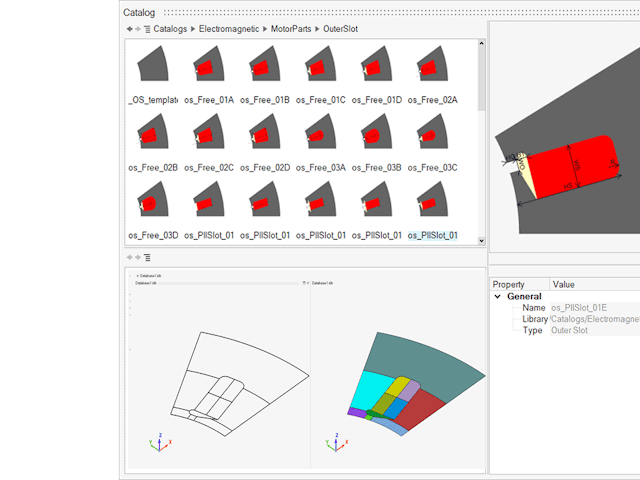
- Electric machine workflows: Connect supported Flux and Simlab models to assess electromagnetic behavior alongside other performance requirements.
Practical Simlab workflows
- Electronics assembly evaluation: Prepare PCB and mechanical assembly data, choose a suitable model fidelity and evaluate structural or thermal performance at the relevant scale.
- Electric motor development: Prepare geometry and electromagnetic solutions, then use supported transfers or coupling to investigate additional thermal and vibration requirements.
- Product family studies: Reuse a model preparation process across geometry updates, run the selected solutions and compare results using consistent setup conventions.
Make simulation preparation repeatable with Volupe
Share a representative assembly and the analyses your team needs to run. We can discuss the right Simlab workflow, solver configuration, training and application support before you commit to a wider rollout.
Frequently asked questions about Simcenter Simlab
What is the difference between Simlab and Hypermesh?
Simlab emphasizes process-oriented, application-specific workflows with automated preparation and solution setup. Hypermesh provides a broad modeling environment with detailed control over meshing and solver inputs. Both can support advanced analysis; the choice depends on your workflow, modeling requirements and automation strategy.
Does Simlab remove the need for a finite element mesh?
No. Many Simlab workflows use finite element meshes. Its automation helps create and manage those models, but mesh choices still depend on the physics and the detail required. Check model quality and solution settings before relying on the results.
Can Simlab combine different physics?
Yes, supported solutions can be connected through defined interfaces and data exchanges. Available combinations depend on the solver, solution type and release. A multiphysics project needs appropriate coupling settings, compatible analysis conditions and checks that the exchanged data represent the intended physical interaction.
What software and licensing do I need for a Simlab workflow?
Start with the analyses you need to perform and the data you already have. Volupe can review the relevant Simlab capabilities, solver access and current commercial options, then discuss training and support. No single configuration or price is assumed for every application.
