Design exploration and optimisation
Simcenter HEEDS
Set up your CAD and CAE workflow once. HEEDS runs every evaluation and steers the search to your targets.
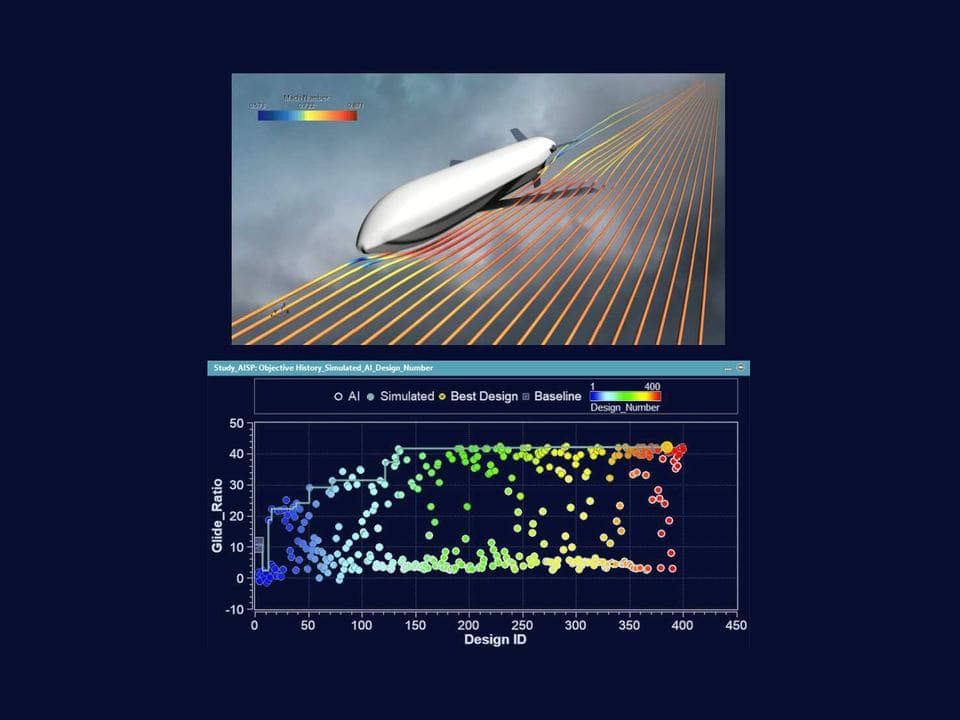
SHERPA
Hybrid, adaptive search that needs no algorithm expertise
Smart Expert
Support from engineers
Siemens-certified expertise, and a Top European Partner award for customer support.
What is Simcenter HEEDS?
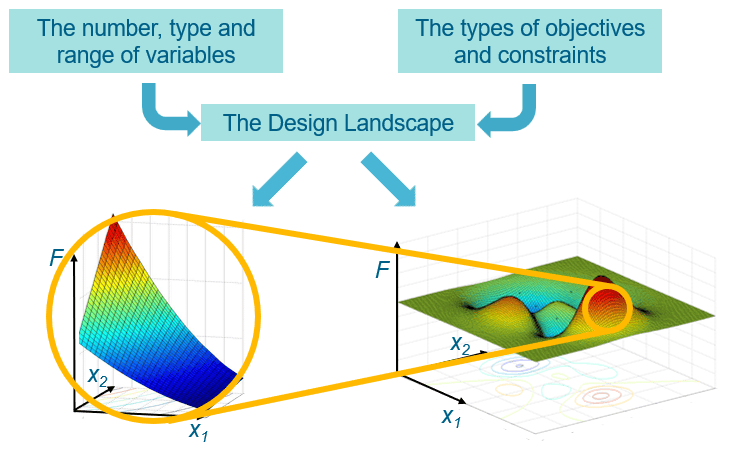
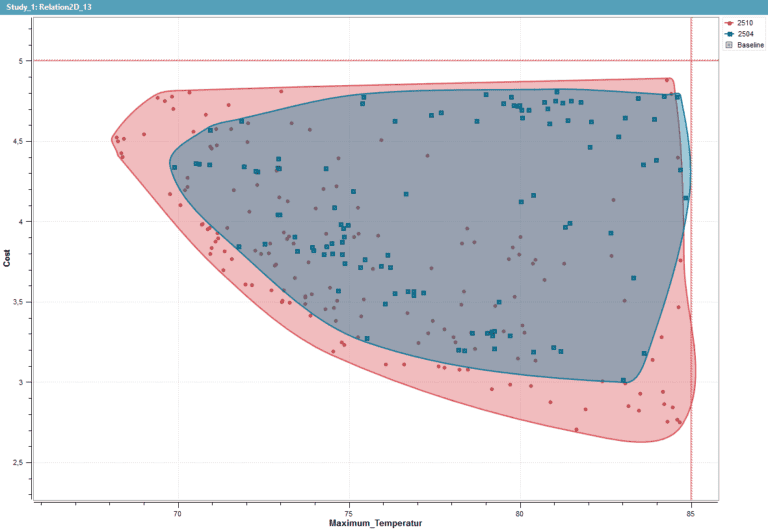
Simcenter HEEDS is a design space exploration and optimisation tool from Siemens Digital Industries Software that automates simulation workflows and searches for designs that meet your performance requirements. It connects to commercial CAD and CAE tools through ready-made interfaces, runs the evaluations on the hardware you already have, and shows the trade-offs between competing objectives.
As software for multidisciplinary design analysis and optimisation (MDAO), HEEDS accounts for interactions between disciplines. Simcenter HEEDS MDO runs on the desktop; with Simcenter HEEDS Connect, teams edit and review the same workflows in a browser.
Evaluate hundreds of design variants without setting up each run
Balance weight against stiffness, or cost against performance, in one study
Let studies run unattended overnight and at weekends

Play video · 11:46
A Volupe quickstart for design exploration in Simcenter HEEDS.
Book a demo with an engineerDeveloper
Siemens Digital Industries Software
Typical analyses
Single- and multi-objective (Pareto) optimisation, design of experiments (DOE), robustness and reliability, and evaluation-only studies
Used in
Aerospace and defence, automotive, energy, industrial equipment, chemical processing and consumer products
Related tools
Simcenter STAR-CCM+, Simcenter 3D, Simcenter Amesim, Simcenter FLOEFD, Simcenter Flomaster, NX, MATLAB, Microsoft Excel and Ansys Fluent, among others
Capabilities
Automate the runs and search the design space
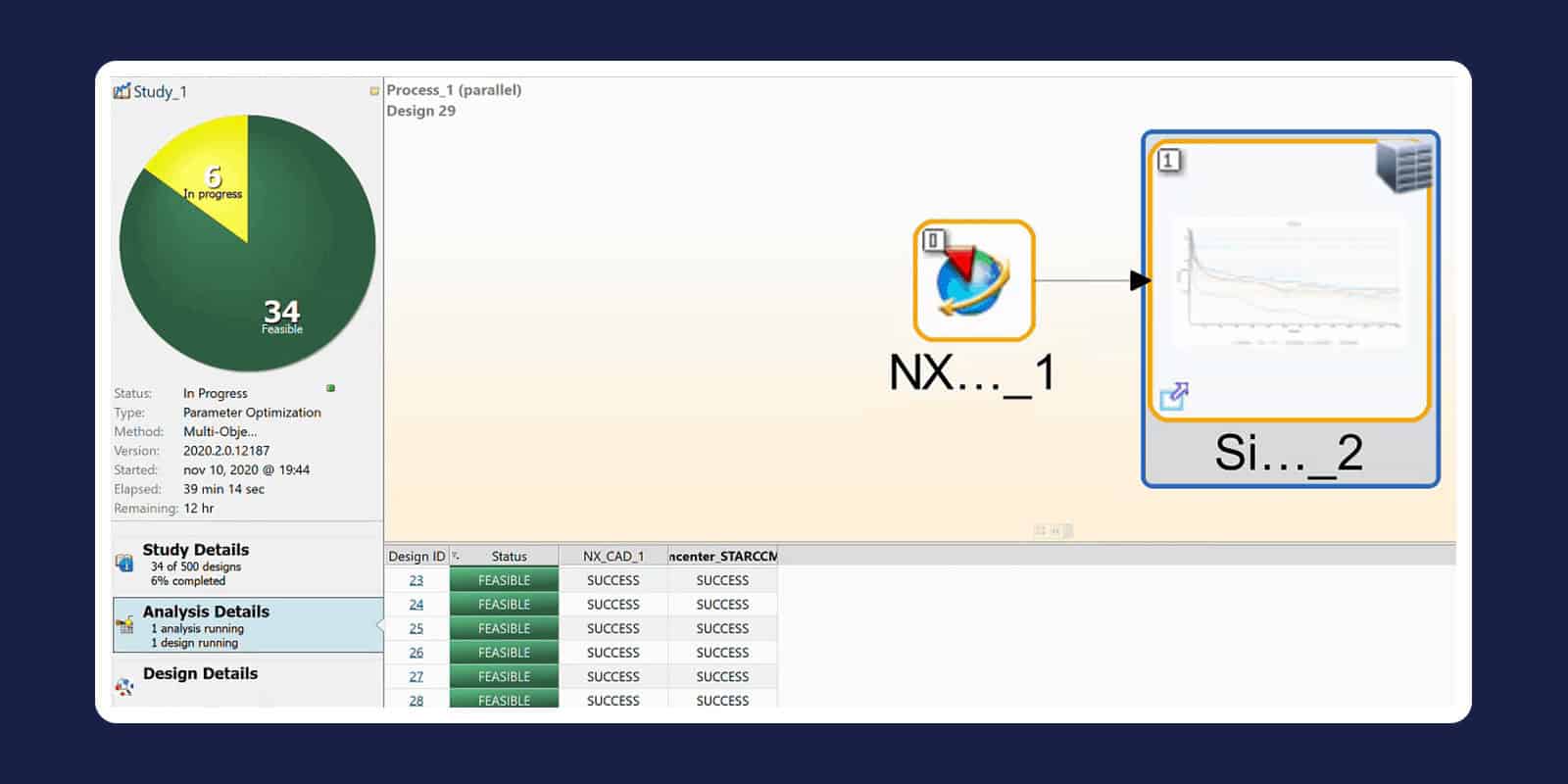
Automated CAD and CAE workflows
Define the process flow and HEEDS repeats it for every design: it modifies the native geometry, rebuilds the model, runs each analysis and collects the results. Flows can combine 1D, 2D and 3D simulation and cost-estimating tools, run in sequence or as a co-simulation, and ready-made interfaces connect many of them without custom scripting.
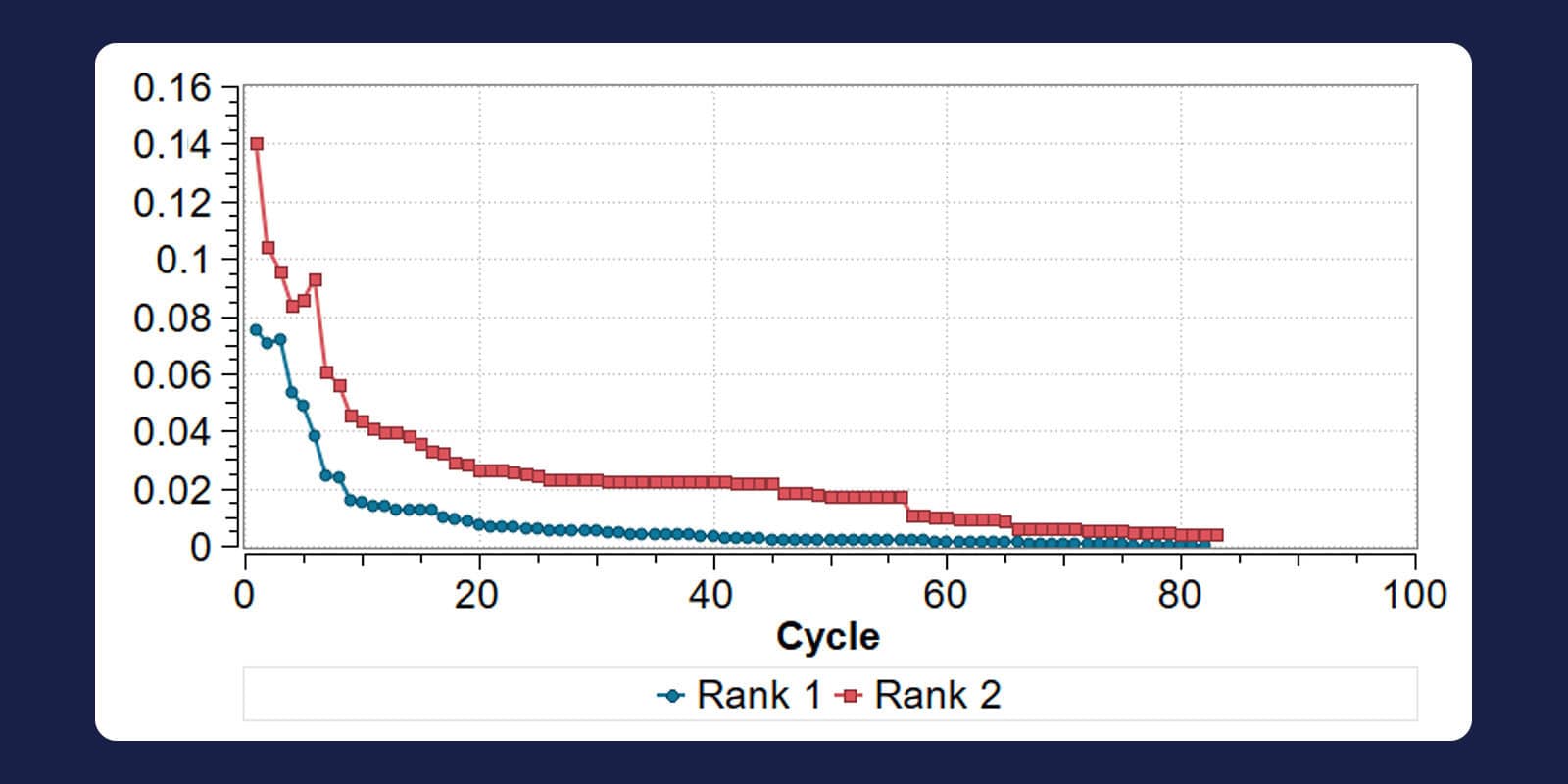
Adaptive search with SHERPA
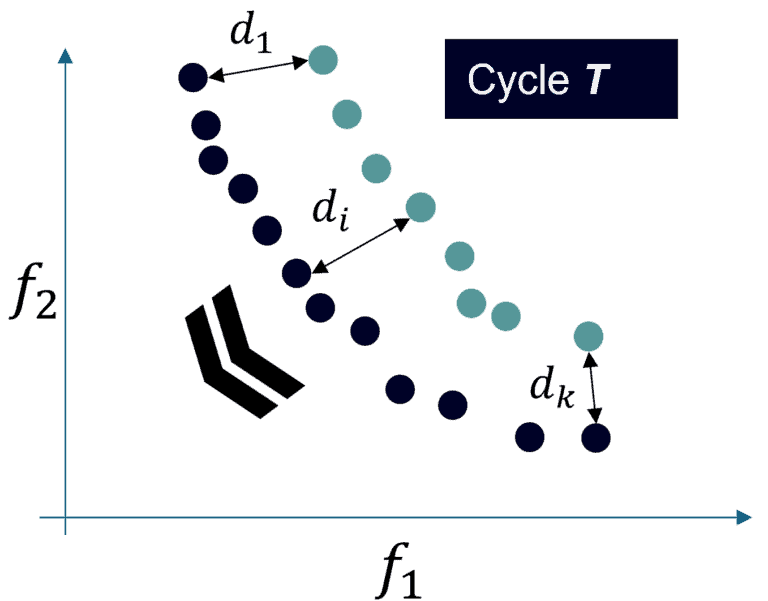
SHERPA (Simultaneous Hybrid Exploration that is Robust, Progressive and Adaptive) runs several global and local search strategies at once and shifts effort between them as the study progresses. In multi-objective studies you can track whether the Pareto front has converged. For long optimisations, the AI Simulation Predictor add-on predicts simulation outcomes to save computing time.
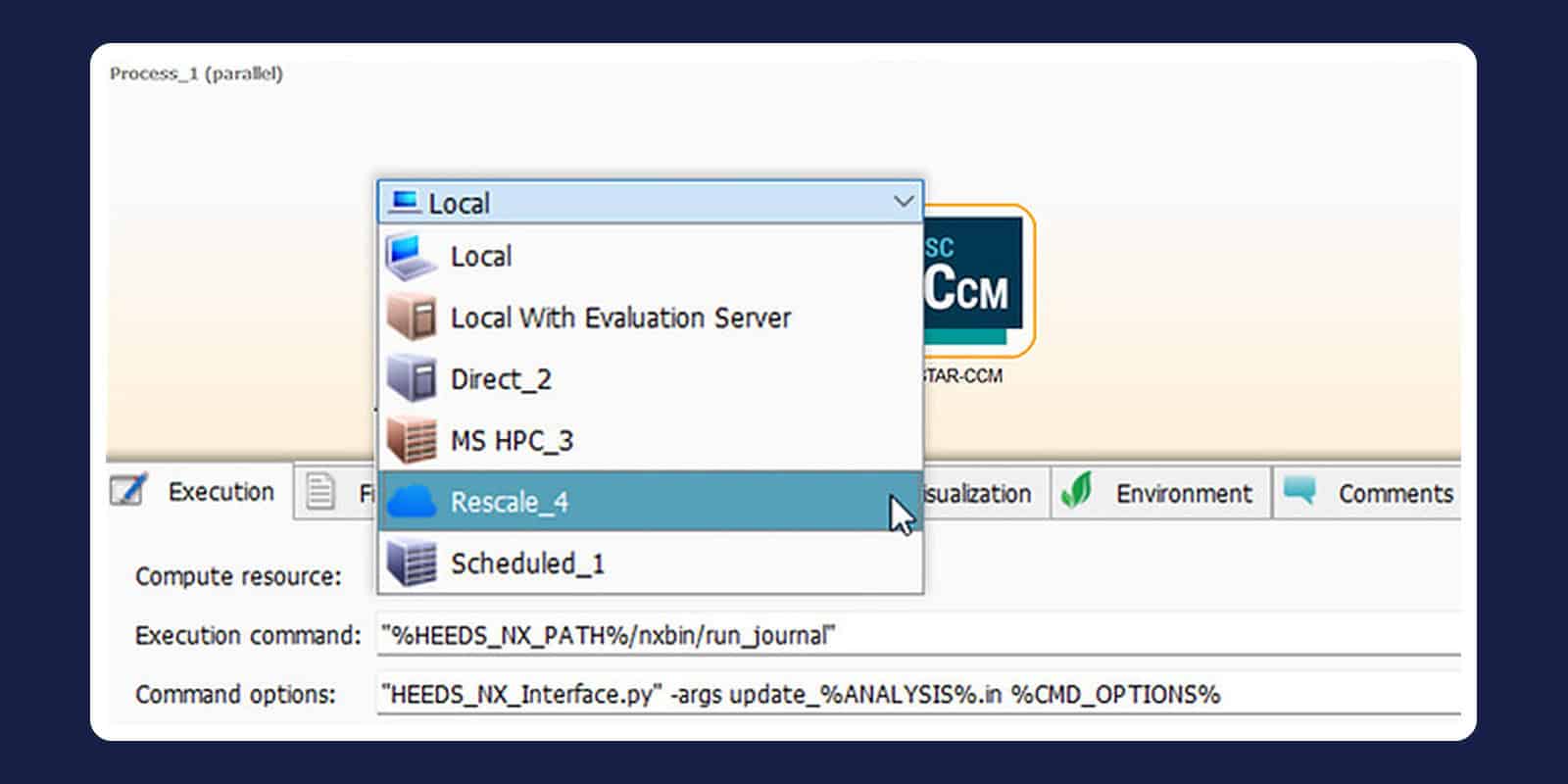
Distributed execution and parallel runs
HEEDS spreads evaluations across Windows and Linux workstations, clusters and cloud resources, with parallelisation at workflow, task and core level. Jobs go out by direct submission or through PBS, LSF, SLURM, MSHPC or a custom scheduler, and a single flow can change geometry on a Windows laptop and run CFD on a Linux cluster.
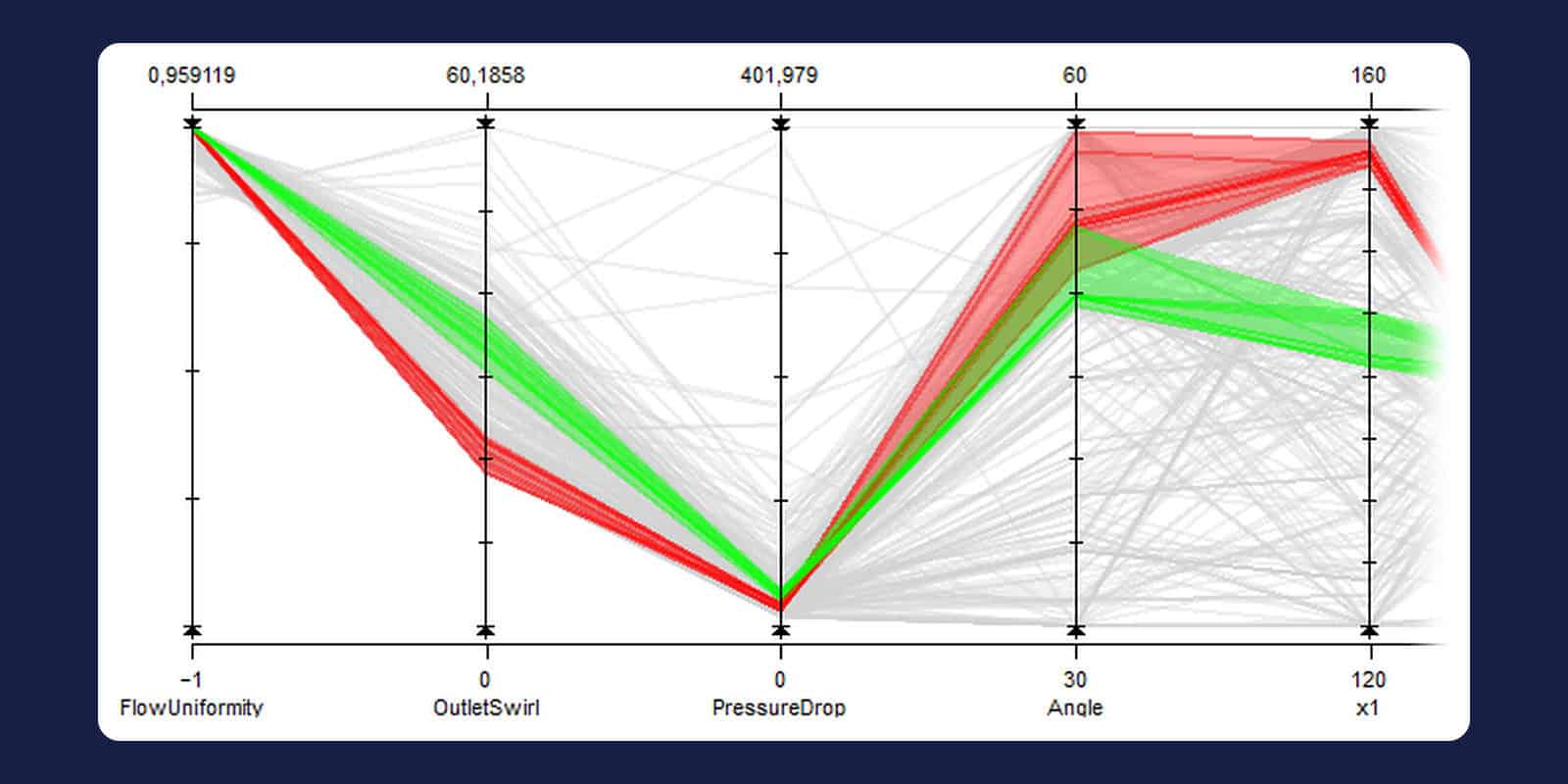
Trade-offs and robust designs
Compare families of top-performing designs in parallel-coordinate plots and see which variables drive each objective. Robustness and reliability studies check a design against manufacturing tolerances. In Simcenter HEEDS POST you can train neural-network surrogates on your results and analyse data from other sources.
Related tools
Often used with Simcenter HEEDS
Multiphysics CFD
Simcenter STAR-CCM+
Mesh your CAD, solve flow, heat and coupled physics, then compare design variants in the same tool.
→
Multiphysics CAE
Simcenter 3D
Run structural, NVH, thermal and motion analyses in one environment, on models that follow CAD changes.
→
CAD-embedded CFD
Simcenter FLOEFD
Check flow and temperatures early, on the native model, in NX, Solid Edge, CATIA V5 or Creo.
→
Learn Simcenter HEEDS
Questions about Simcenter HEEDS
Answers reviewed by
Florian Vesting
Senior Application Specialist, Ph.D.
What is Simcenter HEEDS used for?
Engineers use Simcenter HEEDS to optimise designs, run design of experiments and check robustness, using their existing simulation models in an automated process flow. Siemens customer stories include transmission noise at Hyundai Mobis and a boiler mixer at FIME. In another, Northrop Grumman says design of experiments in Simcenter HEEDS can save 30–50% of its analysis time.
What does Simcenter HEEDS cost, and how is it licensed?
We don't publish fixed prices: we quote Simcenter HEEDS for your team, based on the number of users, the licence term and how you will share access. It is also part of Simcenter X Advanced, Siemens’ SaaS suite with cloud-based named-user licences. Say whether you need Simcenter HEEDS Connect or the AI Simulation Predictor add-on, then request a licence quote or book a meeting, and one of our business developers will reply.
Can I see a demo or try Simcenter HEEDS first?
Yes: you can see Simcenter HEEDS in a demo with one of our engineers. Book a demo and tell us which tools your workflow uses and what you need to optimise. There is no free trial, but if you want to evaluate it on your own project, say so in your demo request and we will tell you what is possible.
Which CAD and CAE tools does Simcenter HEEDS work with?
Simcenter HEEDS drives Siemens tools such as Simcenter STAR-CCM+, Simcenter 3D, Simcenter Amesim, Simcenter FLOEFD, Simcenter Flomaster and NX. Ready-made connectors also cover former Altair tools, including Altair HyperMesh, Altair HyperView and Altair Feko, and third-party tools such as MATLAB, Microsoft Excel, Ansys Fluent, Ansys Discovery and Aspen HYSYS Simulation Workbook. Siemens states that HEEDS can also connect to in-house simulation tools. If yours is not listed, send us a technical question.
How does Simcenter HEEDS differ from Design Manager in Simcenter STAR-CCM+?
Simcenter HEEDS drives several tools in one multidisciplinary workflow, while Design Manager explores designs within Simcenter STAR-CCM+. For a CFD-only study, Design Manager may be enough; ask us which licences it needs. When a study spans CAD, structures, flow and cost, HEEDS links the tools in a single process flow, for example geometry in NX, structures in Simcenter 3D and CFD in Simcenter STAR-CCM+.
Do I need to be an optimisation expert to use Simcenter HEEDS?
No: you set the design variables, objectives and constraints, and SHERPA decides how to search, so you need no expertise in search algorithms. You do need a process flow that rebuilds and solves every design reliably, and our simulation engineers can answer support questions on that.
Why buy Simcenter HEEDS through Volupe?
One partner covers Simcenter HEEDS and the Simcenter tools it drives: we sell, support and train the full Simcenter portfolio, including the former Altair tools. Our simulation engineers handle support questions, and every business developer holds an engineering degree. We are a Siemens Platinum Partner at Smart Expert level, with a Top European Partner award for customer support.