Drag coefficients of common shapes
CD for 18 common 2D and 3D shapes at Re ≈ 104, what changes it, and how to simulate drag and lift in Simcenter STAR-CCM+.
Drag coefficient tables
Flow from left to right. Values from White [1], [2] and [3]; 2D values are per unit span.
Definition of the drag coefficient
CD = 2FD / (ρU2A) (1)
FD is the drag force, the force component in the direction of the flow velocity; ρ is the fluid density, U the flow speed relative to the body and A the reference area. The reference area is often the projected frontal area, but for bodies whose cross-section varies it can be something else: for a wing it is the nominal wing area.
Drag has two parts: friction (viscous) drag and pressure (form) drag. On bluff bodies, where strong pressure gradients and usually flow separation occur, pressure drag dominates and the drag is high. On streamlined bodies the flow stays attached, so friction becomes the main contribution and the drag is low.
Cars show how much the shape matters. The first cars were box-shaped, with drag coefficients around 0.95; modern cars are closer to 0.3. An Audi A3 has CD = 0.33 and a Tesla Model S 0.24 [4].
What changes the drag coefficient
Reynolds number
The table holds for one Reynolds number, about 104. As Re changes, the boundary layer goes from laminar to turbulent and the wake changes structure, so every shape has its own CD–Re curve. A sphere has a higher drag coefficient at low Reynolds numbers and drops sharply where its boundary layer turns turbulent, as the figure shows [2]. The dimensionless numbers page explains the Reynolds number and related quantities.
Surface roughness
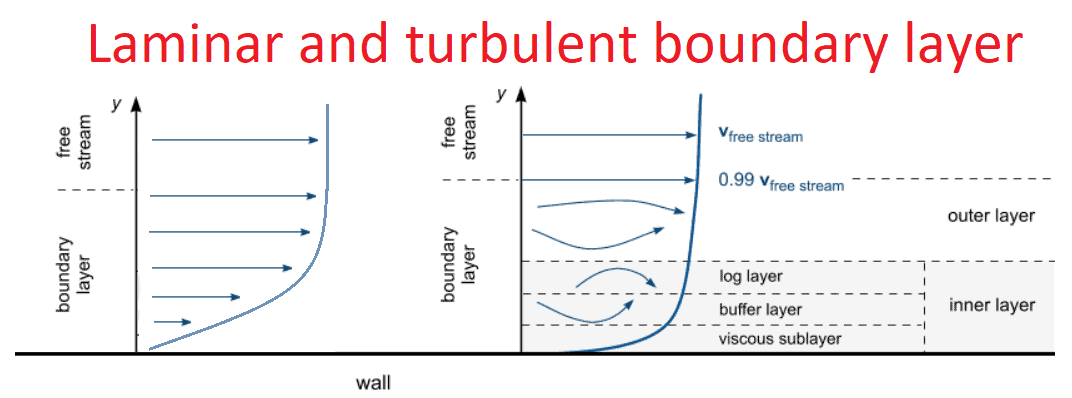
The same figure shows that roughness changes the drag too. Roughness acts on the boundary layer and with it on the velocity close to the wall. The next figure compares laminar and turbulent velocity profiles near a wall.
Example: why golf balls have dimples
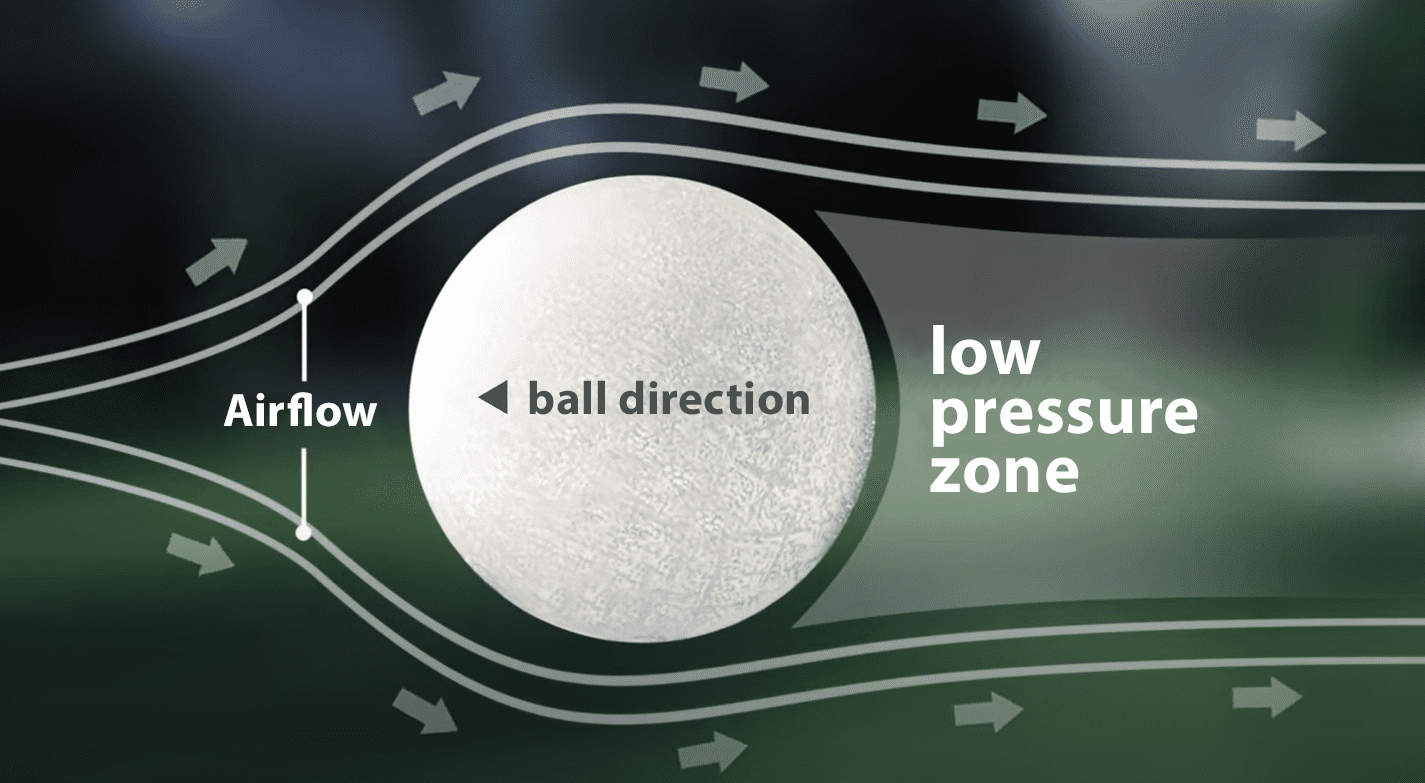
On a smooth ball, with the flow from left to right, the flow separates early and leaves a large low-pressure wake that pulls the ball back.
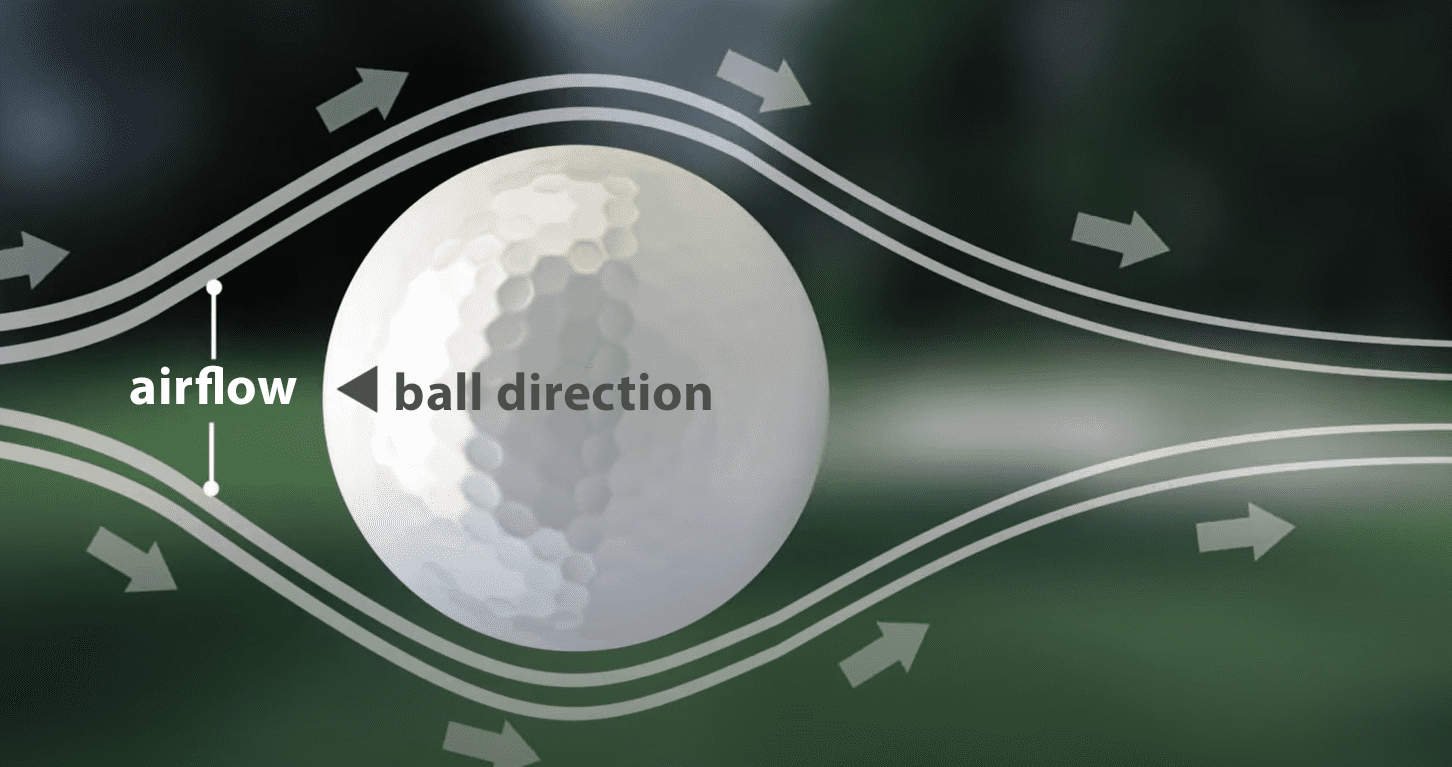
Dimples trip the boundary layer into turbulence, which keeps the flow attached for longer. The wake becomes much smaller, the drag drops, and a dimpled ball can fly about twice as far as a smooth one [5].
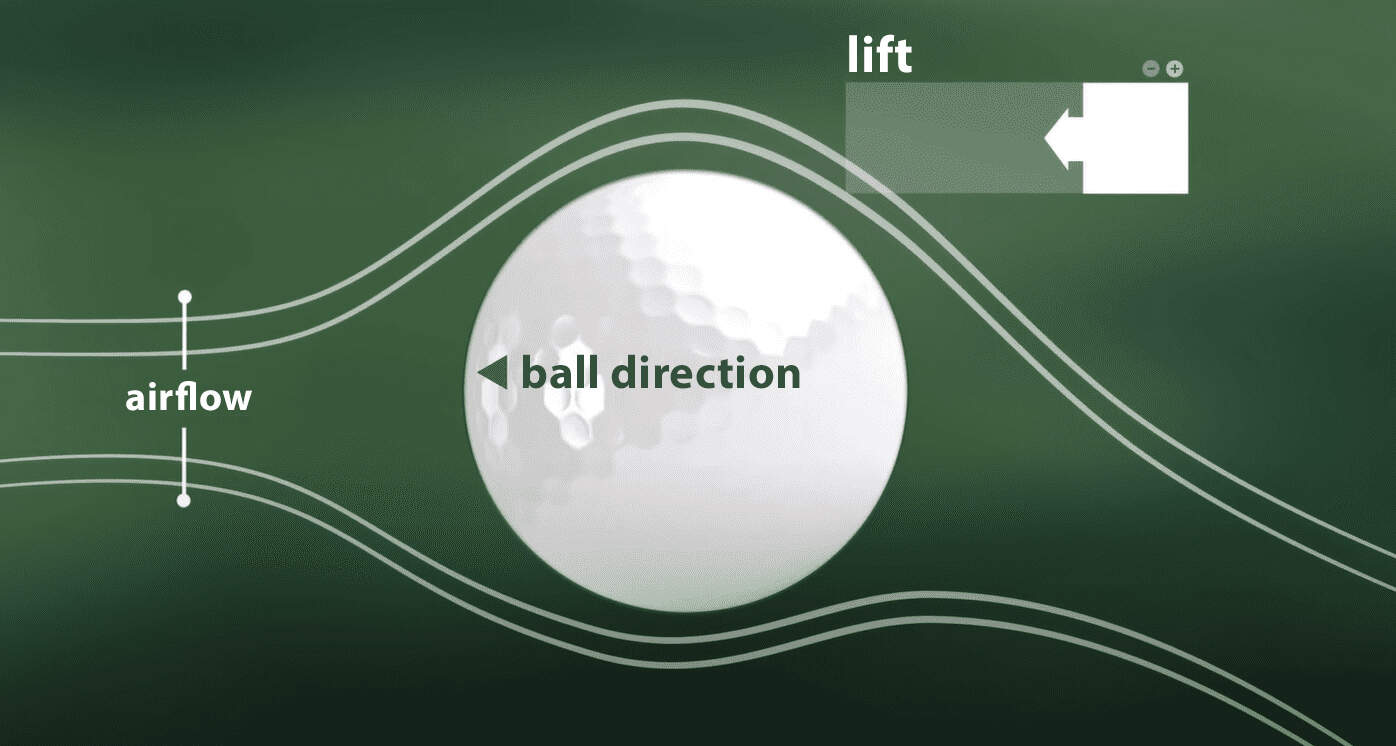
Dimples also add lift. On a ball with backspin the wake is deflected downwards, which pushes the ball up [5].
Simulating drag and lift in Simcenter STAR-CCM+
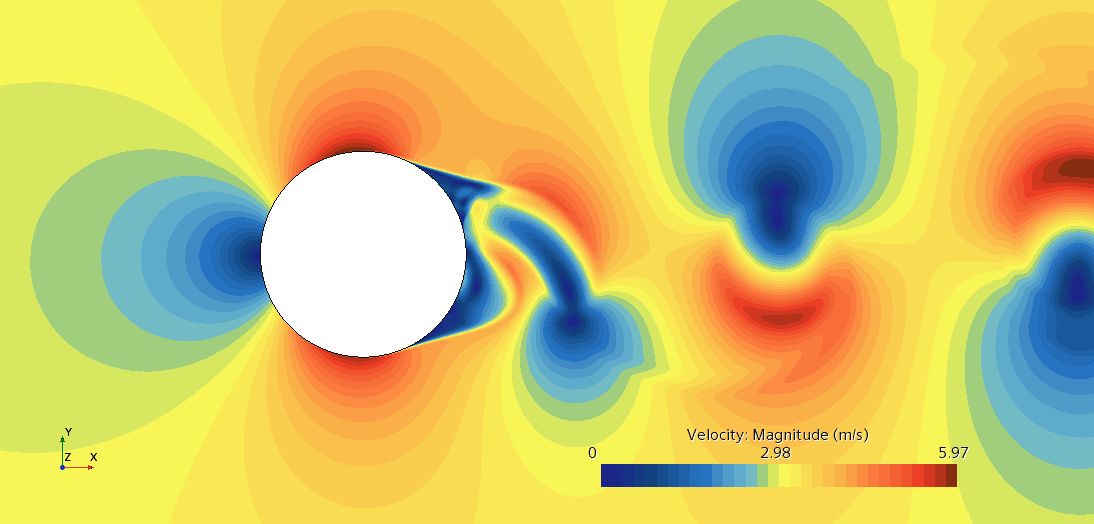
Lift and drag depend on near-wall physics that must be well resolved, so every part of the set-up matters, from the mesh to the turbulence model. The example below is the von Kármán vortex street behind a cylinder, with the flow from left to right.
Computational domain
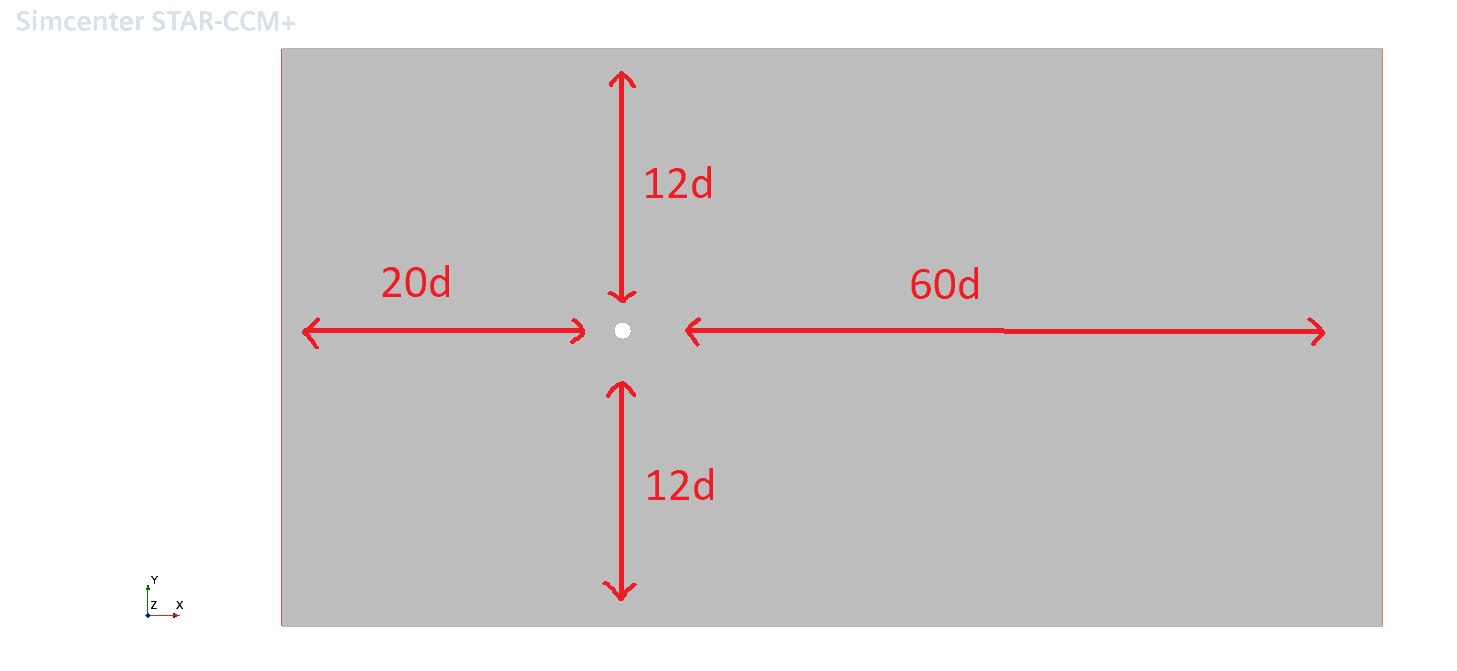
Size the domain in terms of the body’s characteristic length. For a cylinder of diameter d, use 12d between the side walls so that they do not affect the flow, 20d from the inlet to the cylinder so that the inlet condition does not force the flow in front of it, and 60d behind it so that the outlet does not affect the wake [6].
Mesh
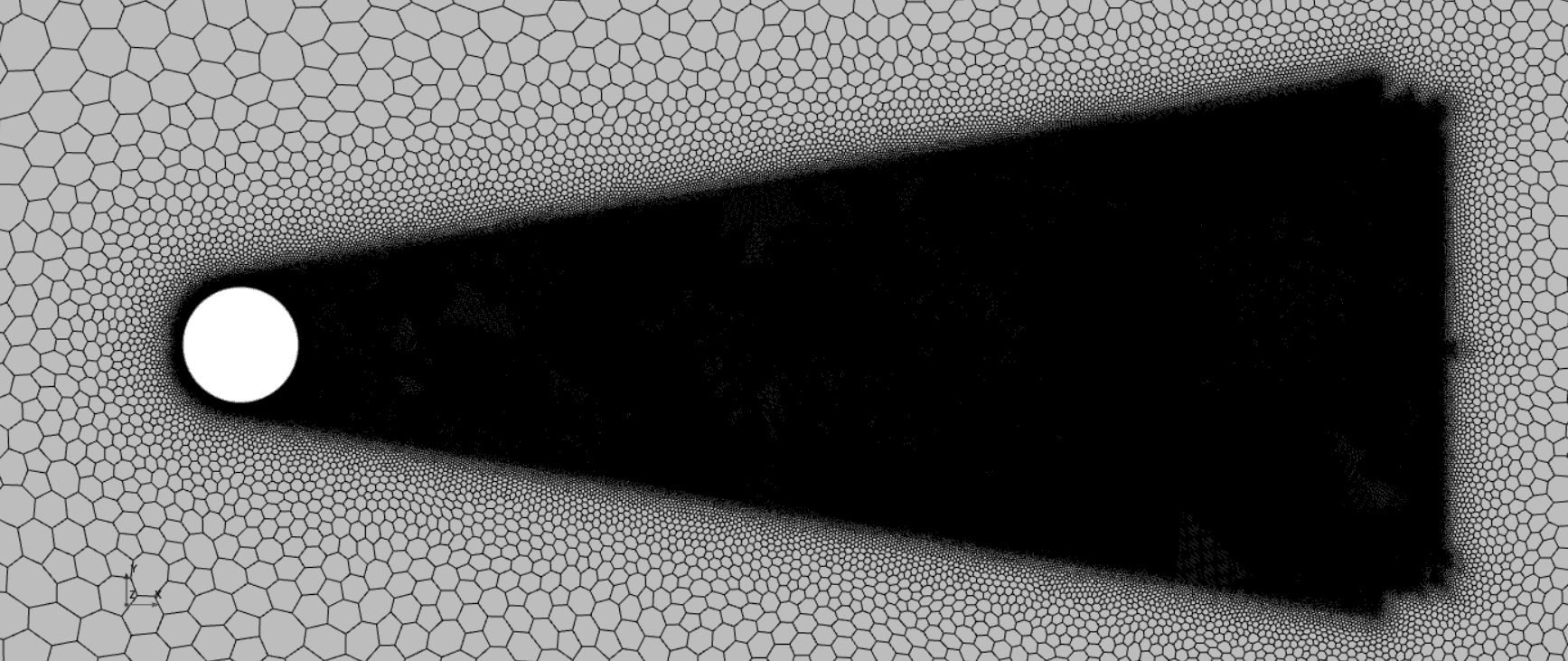
Resolve the flow where the gradients are, and no more: finer cells near the cylinder and in the wake, coarser cells elsewhere.

A wake refinement needs a surface to refine from; you then set the cell size, the length of the refined region and its spreading angle. The zoomed-out view below shows the feature only: the resolution in front of the cylinder is not fine enough for a drag simulation.
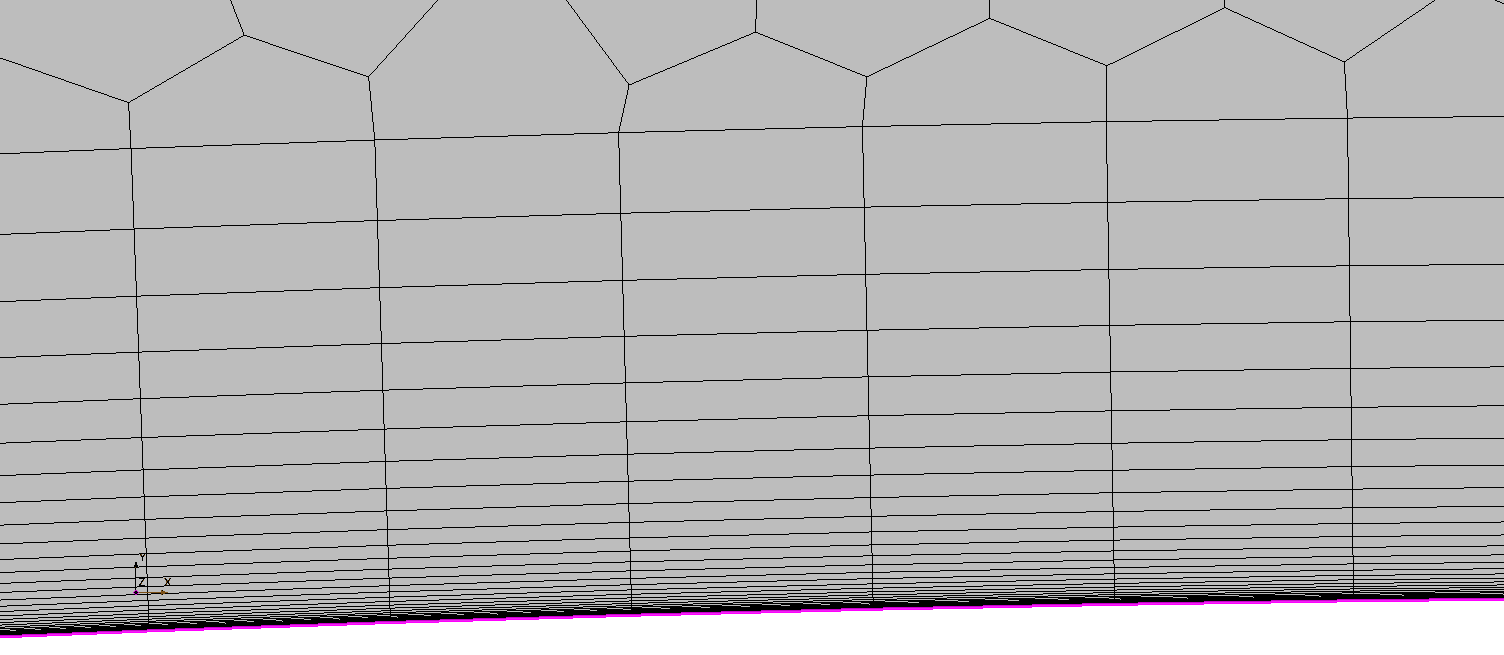
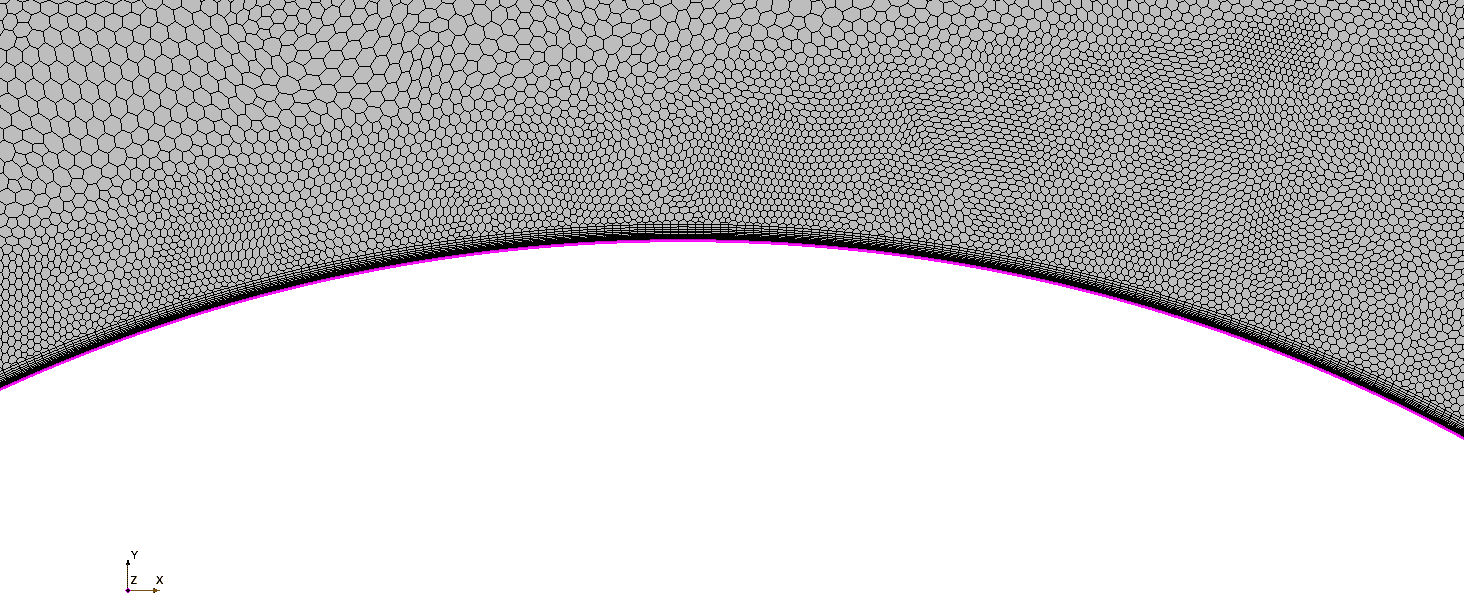
Near the wall, the prism layers should give a first cell with y+ below 1, enough layers to cover the boundary layer, a stretching of 1.1–1.2 and a last layer about as thick as the first core cell. The y+ calculator sizes all of these.
Zoomed out a little, the mesh around the cylinder looks like this.
Turbulence model
Among RANS models, k–ω SST is a good choice for drag: it predicts the near-wall flow well and handles the bulk flow efficiently. Scale-resolving models such as LES give more detail but need a fine mesh and short time steps, and an LES that does not meet its guidelines can be less accurate than k–ω SST. The LES guidelines are in the Simcenter STAR-CCM+ documentation under Simulating Physics, Turbulence, Scale-Resolving Simulations. The turbulence model selector helps you choose.
Evaluating the results
Contour plots give a feel for the flow, but reports monitored in plots are the most reliable way to judge a simulation. Simcenter STAR-CCM+ has built-in reports for the drag and lift coefficients. You define them with the flow direction, the fluid density, the free-stream velocity and the reference area of the body, which an area report can give you.
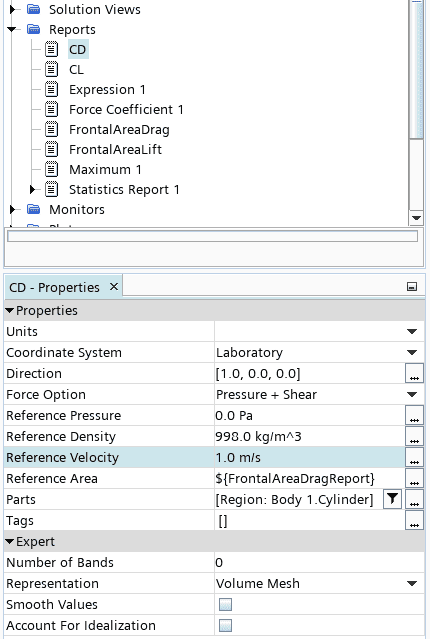
For unsteady flows, filter out the fluctuations with a mean monitor: how to create a mean monitor.
References and changelog
References
[1] F. M. White, Fluid Mechanics, 7th ed., McGraw-Hill.
[2] Wikipedia, Drag coefficient.
[3] NASA Glenn Research Center, Shape effects on drag.
[4] Wikipedia, Automobile drag coefficient.
[5] United States Golf Association, Science of golf: why golf balls have dimples, 2015.
[6] H. A. Son, S. Lee and J. Lee, “Numerical analysis of drag force acting on 2D cylinder immersed in accelerated flow”, 2020.
Review
Reviewed by Christoffer Johansson, M.Sc., Senior Application Specialist at Volupe.
Changelog
October 2026: new layout. Shapes, thumbnails and values now sit in one table, each description says which side faces the flow, and the figures have captions. The values are unchanged.
Questions about drag
Page reviewed by
Christoffer Johansson
Senior Application Specialist, M.Sc.
Questions about drag or lift simulations? We reply within one day.
Ask a technical question →
What is a typical drag coefficient for a car?
Modern passenger cars are around 0.25–0.35: a Tesla Model S has about 0.24 and an Audi A3 about 0.33 [4]. The first box-shaped cars were close to 0.95.
Why does the drag coefficient change with the Reynolds number?
Because the flow structure changes. At low Reynolds numbers the boundary layer is laminar and separates early; once it turns turbulent it stays attached longer and the wake shrinks. For a smooth sphere this gives the drag crisis, a sharp drop in CD at a few times 105. Use the values in the table only near Re ≈ 104.
Which reference area should I use?
The one used by the data you compare with. For bluff bodies and vehicles that is usually the projected frontal area, for wings the nominal wing area, and 2D values are per unit span. In Simcenter STAR-CCM+ an area report gives the reference area of your body.
How do I report the drag coefficient in Simcenter STAR-CCM+?
Use the built-in force coefficient report on the body surfaces. Define the flow direction, the reference density, the free-stream velocity and the reference area, and monitor the report in a plot. For unsteady flows, average it with a mean monitor.
Can Volupe help me simulate drag and lift in Simcenter STAR-CCM+?
Yes. Our application engineers help Simcenter STAR-CCM+ users set up external aerodynamics, from domain and mesh to turbulence model and reports, as part of support or in a training course. Use the form below and choose Technical question.