
Altair HyperMesh
Powerful pre- and post-processing for structural analysis, crash, NVH, and multiphysics. Volupe provides licenses, technical support, and training in HyperMesh across the Nordics and Europe.
Siemens Platinum Partner
250+ CAD & Solver Formats
Engineering Support & Training
What is Altair HyperMesh?
Altair HyperMesh is a high-performance finite element modeling and analysis environment used to prepare, build, run, visualize, and analyze simulations of complex geometries and large assemblies. As the core pre- and post-processor within the Altair HyperWorks platform, HyperMesh covers the full workflow from CAD import and geometry cleanup through meshing, solver setup, and results visualization — all in a single environment.
HyperMesh supports over 250 CAD and solver formats, including OptiStruct, Radioss, Nastran, Abaqus, LS-DYNA, ANSYS, and PAM-CRASH. Its open, programmable architecture and Python API make it straightforward to automate repetitive tasks, enforce modeling standards, and integrate HyperMesh into your existing engineering processes.
With the 2025 Siemens acquisition of Altair, HyperMesh is now part of the Siemens Xcelerator ecosystem. As a Siemens Platinum Smart Expert Partner, Volupe bridges both the Simcenter and Altair portfolios — giving you a single point of contact for licenses, onboarding, and ongoing technical support.

Why HyperMesh?
Model Build and Assembly Connected to the Digital Thread
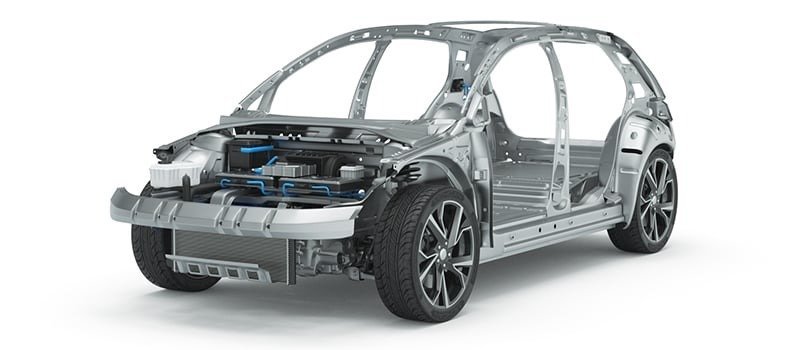
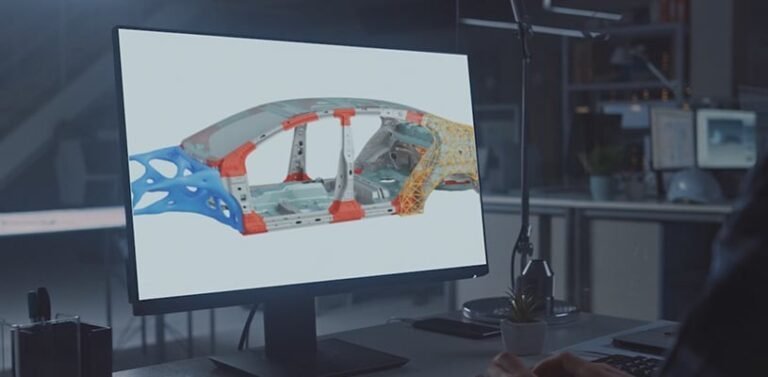
HyperMesh goes beyond preparing simulation-ready models. It captures and manages metadata that links parts, subsystems, and design changes across teams. Through the digital thread, every update is tracked and tied back to HyperMesh libraries and PLM/PDM systems — enabling faster decisions, fewer errors, and less reliance on physical testing.
One Environment for CAD, Meshing, Solver Setup, and Post-Processing
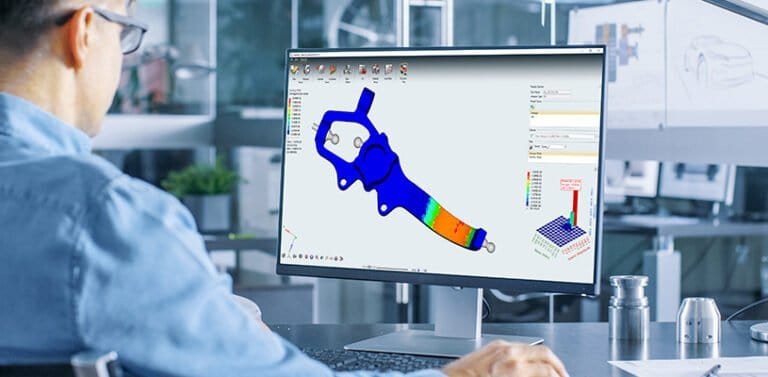
Engineers often lose time switching between tools for geometry cleanup, meshing, solver setup, and results analysis. HyperMesh unifies the entire workflow in one solver-connected environment. Teams can edit geometry, assemble models, define solver-specific inputs, and review results without leaving the platform. Broad interoperability with both Altair’s own and third-party CAD and solver systems eliminates bottlenecks and reduces rework.
Open, Automated, and Programmable
HyperMesh’s Python API and built-in automation tools let you convert manual workflows into reusable scripts. Tasks like geometry cleanup, model setup, and report generation become repeatable one-click operations. This helps teams enforce standards, scale simulation to more engineers, and capture expert knowledge in code rather than relying on tribal know-how.
Ready to streamline your simulation workflow?
Part of the Altair HyperWorks Platform
HyperMesh is the pre- and post-processing core of Altair HyperWorks — a unified design and simulation platform that also includes HyperView for results visualization, HyperGraph for data plotting, and Altair’s own solvers such as OptiStruct and Radioss. All tools share Altair’s unit-based licensing model, meaning your team can access the full suite from a single license pool without managing separate subscriptions for each application.
AI-Powered Simulation in HyperMesh
Automate Model Production with AI and Metadata
Engineers can automate much of their manual simulation inputs using AI tools embedded in HyperMesh. Use CAD metadata to automate material creation and assignment — eliminating tedious manual work and accelerating model preparation significantly.
Automated Pattern and Shape Recognition
AI shape recognition discovers, lists, groups, classifies, and edits similar shapes within your geometry simultaneously. This automates model cleanup, feature extraction, and meshing for components with repetitive features — saving hours on large assemblies.
Real-Time Physics Predictions with PhysicsAI
Altair PhysicsAI lets engineers train models on historical simulation data and get physics predictions up to 1000× faster than traditional numerical solvers. PhysicsAI is embedded directly in HyperMesh and supports both transformer-neural simulators (TNS) and graph convolution network (GCN) architectures.
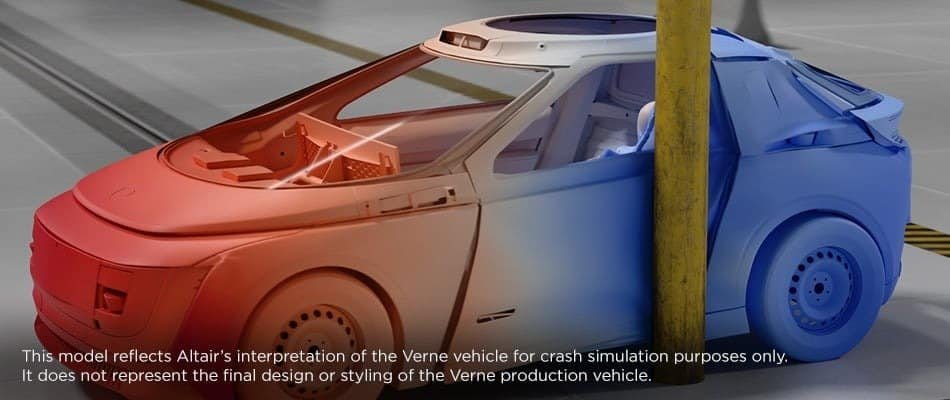
Altair HyperMesh Features
Laminate Composites Modeling
HyperMesh includes ply-based and zone-based composite layup tools with direct interfaces to composites solvers. Engineers can define ply sequences, fiber orientations, and material properties for complex laminate structures. The tools support both hand layup and automated fiber placement manufacturing methods, and export composite definitions to OptiStruct, Nastran, Abaqus, and other solvers that support laminate analysis.
Weld and Connector Workflows
Modeling spot welds, seam welds, bolts, adhesives, and mechanical joints is a critical part of assembling large structural models. HyperMesh provides dedicated connector workflows that define these joints with proper representation for each solver. Heat-affected zone support enables durability assessment of welded structures — particularly important for automotive crash and fatigue applications where weld failure is a primary concern.
Mid-Surface Extraction
For thin-walled structures common in automotive and aerospace applications, HyperMesh extracts shell representations from solid CAD bodies automatically. The mid-surface extraction tools handle complex intersections, variable-thickness sections, and multi-body assemblies — producing clean shell models ready for structural analysis without manual surface creation.
HyperMesh CFD
Beyond structural pre-processing, HyperMesh provides an end-to-end CFD modeling environment focused on external aerodynamics, fan noise, and thermal analysis. The CFD module includes geometry cleanup, surface wrapping, volume meshing with boundary layers, and solver setup — all within the same HyperMesh interface that structural analysts already know.
Certification Workflows
For aerospace and defense applications, HyperMesh offers guided workflows designed to support certification-level structural analysis. These workflows align with regulatory requirements for both metallic and composite structures, helping analysts document their modeling choices and demonstrate compliance. The structured approach reduces the risk of modeling errors in safety-critical applications.
Craig-Bampton Superelements
For large assemblies where full-detail analysis is computationally expensive, HyperMesh supports the creation and export of modal superelements using the Craig-Bampton method. These reduced representations capture the dynamic behavior of substructures and can be integrated into larger assembly models — enabling efficient NVH and dynamic analysis without sacrificing accuracy at the system level.
Reduced Order and Skeleton Modeling
HyperMesh can produce 1D reduced order models (ROMs) that mimic the output of full 3D simulations. Skeleton models simplify complex structures into beam representations for rapid assessment and optimization of whole assemblies. This is particularly useful in early-stage design where quick turnaround matters more than local detail.
Python and API Integration
HyperMesh’s open architecture and Python API give engineering teams full flexibility to customize their simulation workflows. Built-in automation tools convert manual actions into Python code, making it easy to build reusable scripts for geometry cleanup, model setup, and report generation. Teams can capture expert knowledge in code, enforce modeling standards across the organization, and democratize simulation by enabling less experienced users to run complex workflows through guided templates.
Automated Report Generation
With the push of a button, HyperMesh creates customized reports in HTML, PDF, DOCX, and PPTX formats. Reports can include equations, images, 3D objects, and simulation post-processing results. This eliminates the manual effort of assembling presentation-ready documentation and ensures that reporting is consistent, repeatable, and tied to the actual simulation data.
Geometry Import and Model Assembly
HyperMesh reads over 250 CAD and solver formats natively, including CATIA, NX, Creo, SOLIDWORKS, STEP, JT, Parasolid, and STL — without requiring external translators. Automated import workflows classify, organize, and assemble bulk geometry at scale. Engineers can create common models, define multiple assembly configurations, and set up load cases without repetitive manual inputs. For large-model assemblies with thousands of parts, HyperMesh’s classification and joining workflows handle the complexity that would otherwise require days of manual setup.
Advanced Meshing
HyperMesh offers full control over mesh generation with support for shell, solid, hex, tet, and mixed-element meshes. Batch meshing automates the process for large assemblies, applying mesh criteria consistently across hundreds of components. Built-in quality checks flag elements that fail industry-standard criteria before the model reaches the solver. For experienced analysts, manual meshing tools provide precise control over element placement, while automated workflows let less experienced users produce high-quality meshes with minimal input.
Solver-Independent Setup
HyperMesh is solver-independent and exports to all major FEA codes, including OptiStruct, Radioss, Nastran, Abaqus, LS-DYNA, ANSYS, and PAM-CRASH. Guided workflows help engineers set up load cases and define models for fatigue, durability, crash and safety, noise vibration and harshness (NVH), and multiphysics simulations. A single HyperMesh model can be configured for multiple solvers, reducing rework when teams use different codes for different analysis disciplines.
Why Volupe for Altair HyperMesh?
Simcenter + Altair
Fast Response Times
Nordic & European Reach
Want to discuss licensing or book a demo?
HyperMesh is available through Altair's unit-based licensing model. Instead of a separate license for each product, you purchase a pool of Altair Units that gives your team flexible access to HyperMesh and the entire HyperWorks platform — including OptiStruct, Radioss, HyperView, and over 150 other Altair products. This means you only pay for what you use, and multiple users can share the same license pool. Contact us for a quote tailored to your team size and usage needs.
HyperMesh reads over 250 CAD and solver formats natively, including CATIA V5/V6, NX, Creo (Pro/E), SOLIDWORKS, Inventor, STEP, IGES, JT, Parasolid, STL, and many more. Native CAD files can be imported directly without external translators, which simplifies the workflow and avoids data loss during format conversion.
HyperMesh is solver-independent and supports all major FEA codes, including Altair OptiStruct, Altair Radioss, MSC Nastran, NX Nastran, Abaqus, LS-DYNA, ANSYS, PAM-CRASH, and several others. A single HyperMesh model can be configured and exported to multiple solvers, which is particularly useful when different analysis disciplines within your organization use different codes.
Yes — HyperMesh is specifically designed for large, complex models. Automated import, classification, and joining workflows let you assemble and mesh models with thousands of components efficiently. Full-vehicle automotive crash models, large ship hull structures, and complete aircraft sections are typical examples of the assembly sizes that HyperMesh handles routinely. Batch meshing and automated connector workflows further reduce the time needed to prepare large models.
Yes. HyperMesh CFD provides an end-to-end CFD modeling environment within HyperMesh, focused on external aerodynamics, fan noise, and thermal analysis. The CFD module includes geometry cleanup, surface wrapping, volume meshing with boundary layers, and solver setup — all in the same interface used for structural pre-processing. For more specialized CFD workflows, Altair also offers dedicated tools within the HyperWorks suite.
Both are finite element pre-processors, but they serve different user profiles. HyperMesh is designed for experienced CAE analysts who need full control over meshing, model setup, and solver configuration. It provides maximum flexibility for complex, large-scale models and advanced workflows. SimLab, on the other hand, offers more automated, CAD-associative workflows with bi-directional CAD connectivity — designed for faster turnaround with less manual input, often used by design engineers who need simulation results quickly without deep FEA expertise.
Yes. HyperMesh includes ply-based and zone-based composite layup tools for defining laminate structures. Engineers can specify ply sequences, fiber orientations, material properties, and manufacturing constraints. The composites definitions export directly to OptiStruct, Nastran, Abaqus, and other solvers that support laminate analysis — making HyperMesh a standard tool for aerospace and automotive composites work.
Yes. HyperMesh has a comprehensive Python API and built-in automation tools that convert manual actions into reusable Python scripts. This means any workflow — from geometry cleanup and meshing to solver setup and report generation — can be automated, standardized, and shared across teams. Organizations use this to enforce modeling standards, reduce human error, and enable less experienced engineers to run complex simulation workflows through guided templates.
Yes. We offer hands-on HyperMesh training tailored to your team's experience level and application area. Courses range from introductory workshops covering the basics of geometry import, meshing, and model setup, to advanced sessions on composites modeling, automation with Python, and large-assembly workflows. Contact us to discuss your team's specific needs and we will recommend the right training format — whether on-site, online, or a combination.
Yes. Following the 2025 Siemens acquisition of Altair, HyperMesh is now part of the Siemens Xcelerator platform. As a Siemens Platinum Smart Expert Partner, Volupe supports both the Simcenter simulation portfolio and the Altair product suite — giving customers a single partner for licenses, support, and training across both ecosystems.
