Altair Inspire
Generative design, topology optimization, and manufacturing simulation — in one tool. Volupe provides licenses, engineering support, and training across Europe.
Siemens Platinum Partner
Design Through Manufacturing
Engineering Support & Training
What is Altair Inspire?
Altair Inspire is a simulation-driven design platform that brings generative design, structural analysis, and manufacturing simulation into a single CAD-like environment. Where traditional CAE tools demand specialist knowledge and separate workflows for modeling, analysis, and optimization, Inspire puts all of these capabilities in one interface — accessible to design engineers, not just simulation experts.
At its core, Inspire uses Altair OptiStruct, the industry-standard solver for topology optimization. This means designers can define load cases, constraints, and manufacturing requirements, and let the software generate structurally efficient geometry automatically. The resulting shapes can be refined with PolyNURBS organic modeling, analyzed with embedded structural and fluid solvers, and validated for manufacturability — all without leaving the application.
Inspire also integrates SimSolid meshless technology for rapid structural analysis of full assemblies, a GPU-accelerated CFD solver for fluid and thermal evaluation, and dedicated manufacturing simulation modules for casting, sheet metal forming, extrusion, and additive manufacturing. This breadth is what sets Inspire apart: it covers the full product development lifecycle from early concept through production readiness.
With the 2025 Siemens acquisition of Altair, Inspire is now part of the Siemens Xcelerator platform. As a Siemens Platinum Smart Expert Solutions Partner and Altair Channel Partner, Volupe bridges both the Simcenter and Altair simulation portfolios — giving you a single point of contact for licenses, training, and technical support
Why Inspire?
Simulation-Driven Design From Day One
Most simulation tools are built for analysts who receive geometry from someone else. Inspire flips that model. It is built for the people who create geometry — design engineers, product designers, and architects. The interface mirrors a CAD environment, with sketching, parametric modeling, and construction history tools that feel familiar to anyone who has worked in SolidWorks, NX, or Creo. But unlike those tools, simulation is embedded directly into the modeling workflow. There is no export, no separate preprocessor, no waiting for an analyst to return results. The designer runs analysis and optimization as naturally as adding a fillet or chamfer.
This matters because design decisions made in the first 20% of development lock in roughly 80% of a product’s cost and performance. By moving simulation upstream — to the point where geometry is still fluid and changes are cheap — Inspire helps teams catch structural problems, reduce weight, and validate manufacturability before committing to tooling or prototypes.
Topology Optimization and Generative Design
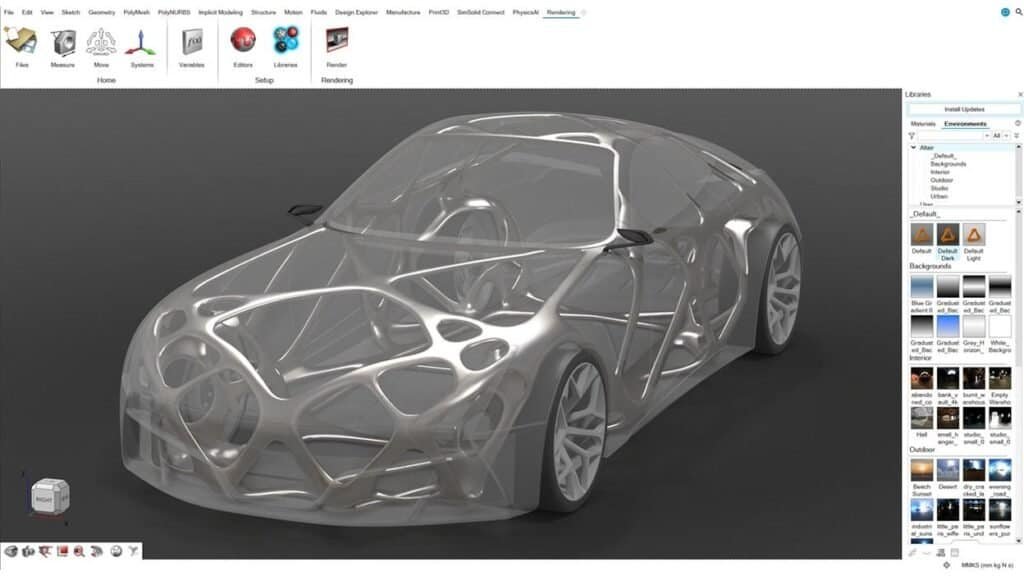
Inspire’s topology optimization engine is powered by OptiStruct, widely regarded as the benchmark solver for structural optimization. Users define a design space, apply loads and boundary conditions, and set objectives — maximize stiffness, minimize mass, or target a specific frequency. Inspire then removes material from regions that do not contribute to structural performance, producing lightweight, organically shaped geometry that would be difficult or impossible to conceive manually.
Manufacturing constraints can be applied directly during optimization. This means the software generates geometry that respects real-world production methods: draw directions for casting, overhang angles for additive manufacturing, extrusion constraints for profiles, and symmetry requirements for balanced assemblies. The result is not just a mathematically optimal shape — it is a shape that can actually be manufactured.
After optimization, Inspire’s PolyNURBS tools allow designers to wrap smooth, production-ready surfaces around the raw topology result. This geometry reconstruction step bridges the gap between algorithmic output and a finished CAD model that downstream teams can work with.
Built-In Physics for Structural, Fluid, and Motion Analysis
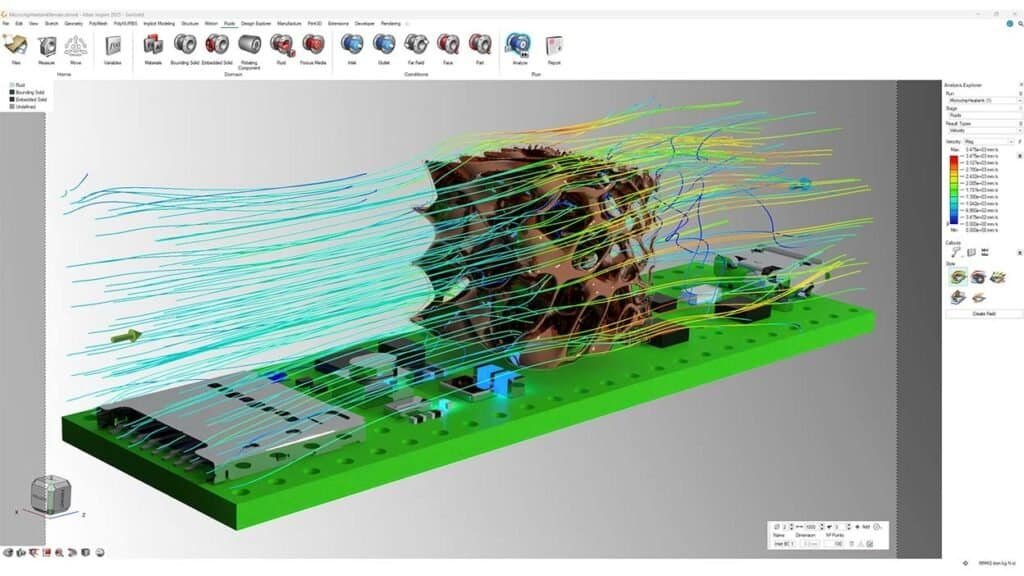
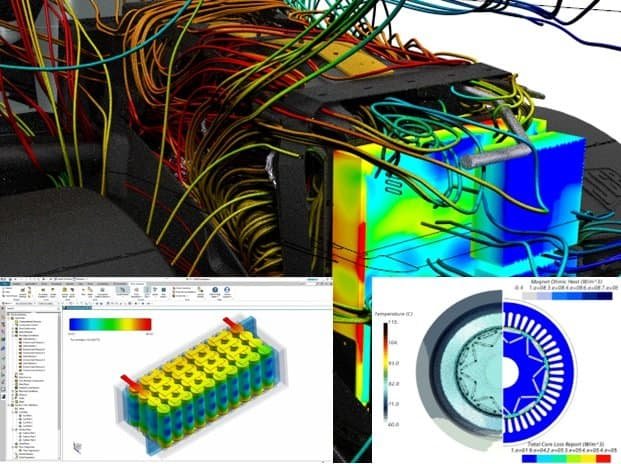
Inspire includes embedded solvers for multiple physics domains, all accessible through a unified interface. For structural analysis, users can run linear static studies, normal modes analysis, and evaluate stress, displacement, and safety factors — with the added speed benefit of integrated SimSolid meshless technology for large assemblies. For fluid and thermal evaluation, a GPU-accelerated CFD solver handles internal and external flow, conjugate heat transfer, and aerodynamic performance assessment. And for mechanisms and linkages, the built-in motion module (powered by Altair MotionSolve) simulates dynamic behavior, extracts loads, and feeds results directly back into structural analysis.
This multi-physics coverage in a single tool eliminates the handoff overhead that plagues traditional workflows, where different solvers, different file formats, and different interfaces slow down every iteration.
Ready to unify your simulation workflow?
The Inspire Product Family
Altair Inspire is not a single application — it is a family of tightly integrated modules, each targeting a specific part of the product development and manufacturing workflow. All modules share the same modeling environment and user interface, making it straightforward to move between design, simulation, and manufacturing validation.
-
Inspire (Core Platform)
Geometry creation, topology optimization, structural analysis, motion simulation, fluid analysis, lattice design, and rendering. This is the central hub for simulation-driven design, where concepts are born, optimized, and validated.

-
Inspire Cast
Casting process simulation for gravity, die, high-pressure, low-pressure, and investment casting. Simulate filling, solidification, porosity prediction, and thermal stress — with guided templates that make casting simulation accessible even without deep foundry expertise. Inspire Cast also incorporates AI-driven insights from historical simulation data to accelerate design iterations.

-
Inspire Form
Sheet metal forming simulation covering stamping feasibility, blank nesting, multi-stage forming, trimming, and springback prediction. Ideal for automotive and consumer goods companies that need to validate formability and material utilization early in the design cycle.

-
Inspire Extrude
Polymer and metal extrusion simulation for predicting material flow through complex die geometries. Optimize die design, balance flow, and minimize defects before cutting steel.

-
Inspire Mold
Injection molding simulation for predicting fill patterns, weld lines, sink marks, and warpage. Evaluate gate locations and process parameters to ensure part quality and reduce cycle time.
-
Inspire Print3D
Additive manufacturing simulation for predicting build distortion, residual stress, and support structure requirements. Particularly relevant for metal 3D printing (DMLS/SLM) where thermal effects during the build process significantly affect part accuracy.

-
Inspire PolyFoam
Simulation of flexible foam molding and rigid foam panel production. Predict foam expansion, filling behavior, and density distribution for automotive seating, packaging, and insulation applications.
-
Inspire Studio
Industrial design and rendering, combining parametric, freeform, and PolyNURBS modeling with physically accurate real-time rendering. Available for both Windows and macOS.
Geometry creation, topology optimization, structural analysis, motion simulation, fluid analysis, lattice design, and rendering. This is the central hub for simulation-driven design, where concepts are born, optimized, and validated.
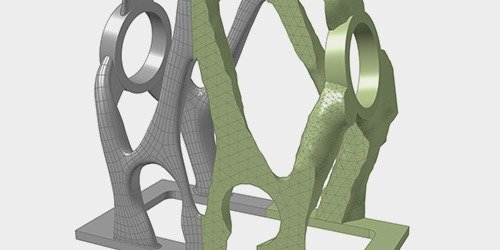
Casting process simulation for gravity, die, high-pressure, low-pressure, and investment casting. Simulate filling, solidification, porosity prediction, and thermal stress — with guided templates that make casting simulation accessible even without deep foundry expertise. Inspire Cast also incorporates AI-driven insights from historical simulation data to accelerate design iterations.
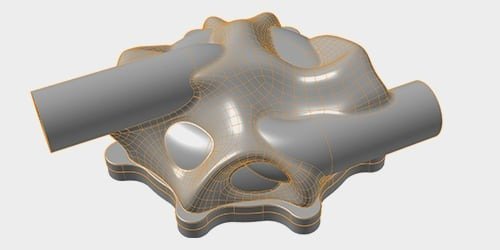
Sheet metal forming simulation covering stamping feasibility, blank nesting, multi-stage forming, trimming, and springback prediction. Ideal for automotive and consumer goods companies that need to validate formability and material utilization early in the design cycle.
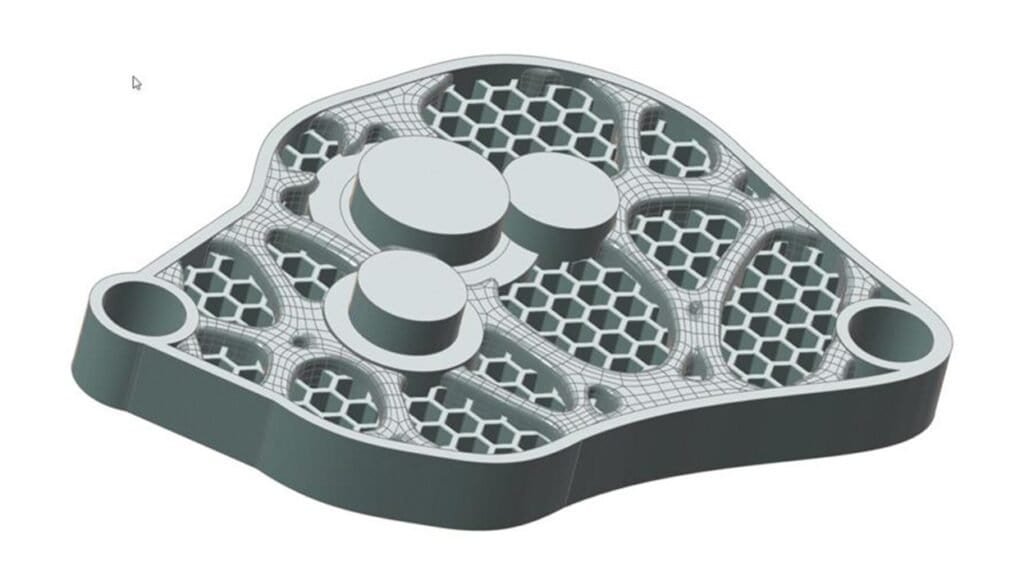
Polymer and metal extrusion simulation for predicting material flow through complex die geometries. Optimize die design, balance flow, and minimize defects before cutting steel.
Injection molding simulation for predicting fill patterns, weld lines, sink marks, and warpage. Evaluate gate locations and process parameters to ensure part quality and reduce cycle time.
Additive manufacturing simulation for predicting build distortion, residual stress, and support structure requirements. Particularly relevant for metal 3D printing (DMLS/SLM) where thermal effects during the build process significantly affect part accuracy.
Simulation of flexible foam molding and rigid foam panel production. Predict foam expansion, filling behavior, and density distribution for automotive seating, packaging, and insulation applications.
Industrial design and rendering, combining parametric, freeform, and PolyNURBS modeling with physically accurate real-time rendering. Available for both Windows and macOS.
Inspire vs Traditional CAD Simulation Tools
Engineers evaluating Altair Inspire often compare it with the simulation modules built into their CAD platform — typically SolidWorks Simulation, Creo Simulate, or NX Nastran. The fundamental difference is scope and philosophy.
CAD-integrated simulation tools are extensions of a modeling environment. They typically provide competent linear FEA and basic thermal analysis, but optimization capabilities are limited or require additional modules. They are designed to answer the question “does my existing design meet requirements?” Inspire answers a different question: “what is the best possible design given these requirements?” The distinction is between validation (reactive) and generation (proactive).
Inspire’s topology optimization, generative design workflows, and integrated manufacturing simulation go well beyond what CAD-bundled tools offer. At the same time, Inspire is not intended to replace specialist FEA tools for advanced nonlinear analysis, explicit crash simulation, or complex multiphysics coupling. For those use cases, tools like Altair OptiStruct, Altair HyperMesh, or Simcenter STAR-CCM+ remain the right choice.
Many engineering teams use Inspire as their primary tool for the first 80% of simulation tasks — concept exploration, structural screening, and manufacturing feasibility — and reserve specialist solvers for the remaining 20% that demands advanced solver features. For teams running Altair SimSolid for rapid assembly analysis, Inspire provides a natural upstream companion for generative design and optimization.
Industries and Use Cases
Altair Inspire is used across a wide range of industries where simulation-driven design creates competitive advantage. Automotive OEMs and suppliers use Inspire for lightweighting body-in-white components, optimizing brackets and structural members, and validating casting and forming processes. Aerospace companies leverage topology optimization for weight-critical flight hardware, often coupled with additive manufacturing constraints. Consumer electronics and appliance manufacturers use Inspire to reduce material costs while meeting structural and thermal requirements. Heavy equipment and industrial machinery companies benefit from the assembly-level analysis capabilities and manufacturing simulation. And architecture and construction firms use Inspire Studio for conceptual design exploration with advanced rendering.


Altair Inspire Key Features
Hybrid Geometry Modeling
Inspire supports parametric boundary representation (BRep), PolyNURBS freeform modeling, facet geometry, and implicit modeling — all within the same model. Intelligent sketching tools with construction history and variable assignment across any unit system accelerate design cycles. Designers can import CAD from all major formats including CATIA, NX, Creo, SolidWorks, STEP, JT, and Parasolid, or create geometry from scratch.
Topology Optimization
Define design spaces, apply loads and constraints, and let OptiStruct generate lightweight, structurally optimal geometry. Supports manufacturing constraints for casting, stamping, extrusion, and additive manufacturing. Optimization objectives include minimizing mass, maximizing stiffness, targeting frequencies, and controlling stress and displacement.
Lattice and Implicit Design
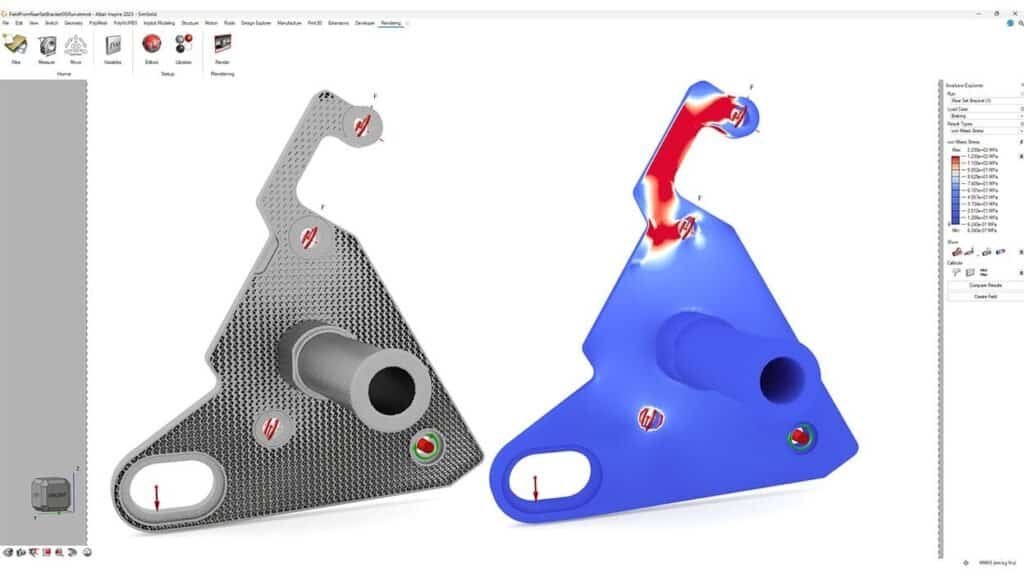
Create structured and unstructured lattice structures using implicit modeling tools. One-click lattice generation based on structural analysis results produces functionally graded lattices — denser where loads are high, lighter where they are not. This capability is particularly relevant for additive manufacturing applications where lattices offer weight savings, energy absorption, and thermal management benefits.
Structural Analysis
Linear static and normal modes analysis with embedded solvers, including SimSolid meshless technology for rapid evaluation of full CAD assemblies. Evaluate von Mises stress, principal stress, displacement, factor of safety, and modal frequencies. Multiple load cases with superposition and envelope analysis
Fluid and Thermal Analysis
GPU-accelerated CFD solver for internal and external flow, conjugate heat transfer, and thermal management evaluation. Designed for quick setup and fast turnaround — not as a replacement for full-featured CFD platforms, but as a tool for design engineers to evaluate flow and thermal performance early in the development process.
Manufacturing Simulation
Validate manufacturability for casting (gravity, die, HPDC, investment), sheet metal forming (stamping, hydroforming, tube bending), extrusion (polymer and metal), injection molding, additive manufacturing (metal and polymer), and foam expansion. Each process has dedicated workflows with guided setup to minimize the learning curve.
Why Volupe for Altair Inspire?
Simcenter + Altair
Fast Response Times
Nordic & European Reach
Want to discuss licensing or book a demo?
Altair Inspire is used for simulation-driven product design. It combines geometry creation, topology optimization, generative design, structural analysis, fluid simulation, motion analysis, and manufacturing simulation (casting, forming, extrusion, additive manufacturing) in a single application. It is primarily aimed at design engineers who want to optimize products early in the development cycle.
Inspire is a design-oriented tool focused on concept exploration, generative design, and rapid simulation with embedded solvers. HyperMesh is a specialist finite element pre-processor for building detailed, mesh-based simulation models for advanced structural, thermal, and multiphysics analysis. Many teams use Inspire for early-stage optimization and HyperMesh for detailed validation later in the development process.
Yes. Inspire includes a GPU-accelerated CFD solver for internal and external flow, conjugate heat transfer, and thermal evaluation. It is designed for quick setup and fast design exploration, not as a replacement for full-featured CFD platforms like Simcenter STAR-CCM+.
Inspire is licensed through Altair Units — a flexible, shared-pool token system that provides access to the entire Altair product suite. Units can be checked out on demand and shared across teams. Volupe helps organizations size the right Units package and handles licensing administration across Europe.
Yes. Inspire supports additive manufacturing through both topology optimization with overhang constraints and the dedicated Inspire Print3D module for build simulation. This includes prediction of build distortion, residual stress, and support structure optimization for metal and polymer 3D printing processes.
Inspire imports all major CAD formats including CATIA V5/V6, Siemens NX, PTC Creo, SolidWorks, Inventor, Fusion 360, STEP, IGES, JT, Parasolid, ACIS, STL, and PLMXML. No file conversion or geometry translation is required.
- Altair SimSolid — Meshless structural analysis for full CAD assemblies
- Altair HyperMesh — Advanced finite element pre-processing
- Altair OptiStruct — Industry-standard structural optimization solver
- All Altair Products — Full Altair portfolio from Volupe