Webinars
Simcenter webinars, live and recorded
Live sessions and recordings on Simcenter and the former Altair tools, in English and in Polish, grouped by tool.
Live webinars
No live session is scheduled right now. New sessions appear here as soon as registration opens. Browse the recordings
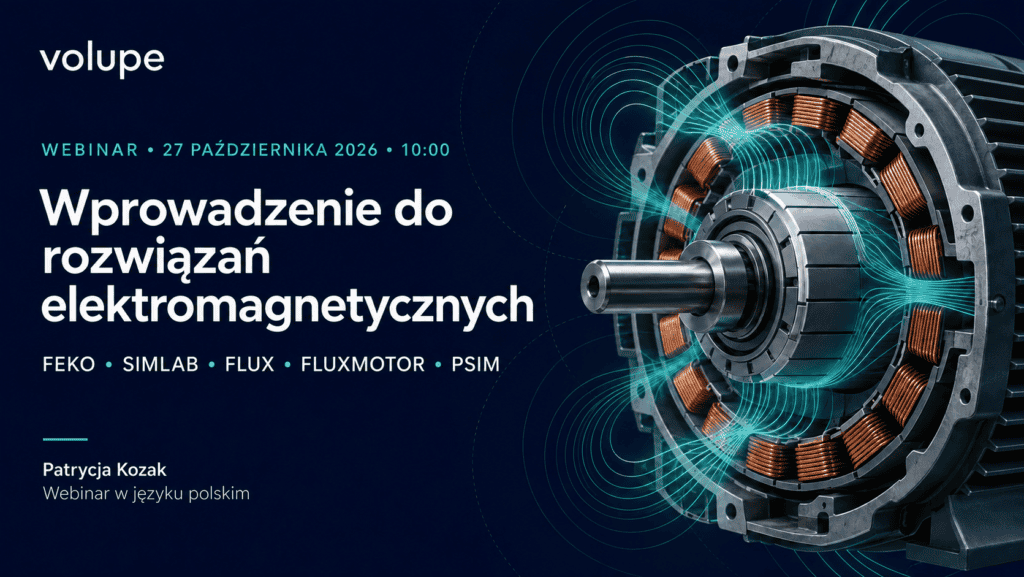
Wprowadzenie do rozwiązań elektromagnetycznych
English summary: what each of these Simcenter electromagnetics tools is used for, and the analyses it supports.
Add to calendar (.ics file, 27 October 2026, 10:00 to 11:00 CET)

Patrycja KozakJunior EM Engineer, Volupe
Registration and the session itself run on GetResponse.
Webinar recordings
Past sessions in English and Polish, grouped by tool. Filter by language or tool, or search the titles.
From Particles to Performance: Driving Process & Equipment Innovation with particle simulation and AI
Key Innovations and Enhancements of Simcenter STAR-CCM+ 2025
Innovative ship and propulsion design with Simcenter
Simcenter STAR-CCM+ updates 2024
Simcenter STAR-CCM+ updates 2023
Marine Engineering using system simulation and Simcenter STAR-CCM+
Simcenter STAR-CCM update webinar
Hydrogen Webinar 45minutes
Simcenter STAR-CCM+ update webinar 2021
Design space exploration with Simcenter STAR-CCM+
Templating, an internal flow example
Hull Performance Simulation, easy!
Digital Thursday Webinar, 12th of November
Radioss in practice: an introduction to the Explicit solver
RF system design in Simcenter SimLab
Inspire in practice: design optimisation and CFD
Reduce aerodynamic calculation time with FlightStream
From CAD to simulation with HyperMesh
Casting simulation with Inspire Cast
AI in CAE simulation
Early-stage design analysis with SimSolid
EDEM applications in automotive engineering
HyperMesh and PhysicsAI: getting started
SimLab NVH analysis: exterior acoustics
Top 10 new features in HyperMesh 2023.1
EDEM applications in agriculture
Thermal analysis of battery packs in SimLab
PSIM in practice: buck converter simulation
BatchMeshing in HyperWorks
Structural analysis using DEM loads from EDEM
Polymer extrusion analysis with Inspire Extrude Polymer
Coupled AcuSolve CFD and EDEM analysis
Bulk material and motion simulation for heavy machinery
CFD analysis in Inspire
Buckling methods in OptiStruct
Introduction to superelements
Fast meshless structural analysis for engineers
Gearbox vibration analysis
SPH technology for drivetrain design
Cooling system analysis with SimLab and Twin Activate
Designing components for high-cycle loading
Designing for electromagnetic radiation safety
Aerodynamics with Altair tools
Topology optimisation with manufacturing constraints
Radar cross-section simulation
Efficient modelling: managing parts and configurations
Electromagnetic simulation of radomes and antenna covers
Efficient modelling: automatic mesh generation
Defining and analysing composites in HyperWorks
Practical composite optimisation for aerospace
Optimising radar and radio coverage
Optimising antenna installation performance
Altair Simulation 2022.2: release highlights
Simcenter STAR-CCM+ webinars
More about Simcenter STAR-CCM+Simcenter HyperMesh and HyperWorks webinars
More about Simcenter HyperMeshEDEM webinars
More about EDEMFeko and PSIM webinars
Inspire webinars
More about InspireSimcenter SimLab webinars
More about Simcenter SimLabSimcenter OptiStruct webinars
More about Simcenter OptiStructSimcenter SimSolid webinars
More about Simcenter SimSolidMore webinars
By email
Recording on request
Some recordings are sent by email rather than published. Fill in the form and we email you the link.
HyperMesh and Ansys coupling
Your request goes to our team in Poland by email. See our privacy policy.
Which language is a session in?
Each session is in English or in Polish. Polish sessions carry an “In Polish” label, and the language filter above the recordings shows one language at a time.
How do I join a live session?
Register through the link on the session. Registration and the session itself run on GetResponse.
Where do the recordings play?
On YouTube, or as an MP4 video file that opens in your browser. The label on each recording says which, and gives the file size for MP4 files.
How do I get a recording on request?
Fill in the short form next to it. We email you the link to the recording.
Rather talk it through with an engineer?
Tell us what you are working on, or join a scheduled course.