Computational fluid dynamics (CFD), explained

Computational fluid dynamics (CFD) is the use of a computer to solve the equations of fluid flow. The flow region is split into many small cells, and the solver works out the velocity, pressure and temperature in each of them. This introduction to CFD covers the basics: the equations, the steps of a simulation and how to check the result.

Introduction · 19 min read · Reviewed by Christoffer Johansson, M.Sc. · Updated October 2026

Flow past a cylinder at a Reynolds number of 100 computed by Volupe: the geometry, the grid at the wall and the vortex street behind it
Computed by Volupe, not a Simcenter result: flow past a cylinder in a channel at a Reynolds number of 100 (the Schäfer–Turek benchmark), shown as the geometry, a close-up of the grid at the wall (the wall itself is placed by interpolation between the marked cells) and the computed vorticity. Our Strouhal number, 0.302, is inside the benchmark interval of 0.295 to 0.305.Computed by Volupe, not a Simcenter result: the vorticity behind a cylinder in a channel at a Reynolds number of 100 (the Schäfer–Turek benchmark), at one instant. Our Strouhal number, 0.302, is inside the benchmark interval of 0.295 to 0.305.

What is CFD?

Computational fluid dynamics (CFD) is a way of predicting how a liquid or a gas flows, and how heat moves with it, by solving the governing equations numerically on a computer. In engineering, CFD stands for computational fluid dynamics. In finance the same letters mean a contract for difference, which this page is not about.

Solves
The conservation of mass, momentum and energy (the Navier–Stokes equations)
Gives
Velocity, pressure and temperature everywhere in the model, and the forces and heat flows that follow
Needs
A geometry, a mesh, models for the physics and conditions at the boundaries
Used for
Vehicle and aircraft aerodynamics, electronics cooling, reactors, turbomachinery, building services
Checked by
Mesh studies and comparison with measurements

What a CFD simulation does

Instead of building a prototype and putting it in a wind tunnel or a flow rig, you make a digital model of the geometry. You tell the software which fluid it is, what comes in through the inlets, what leaves through the outlets and what happens at the walls. The solver then works out the flow in the whole model.

The answer from a CFD analysis is a value of velocity, pressure and temperature in every cell, often millions of them. From those you get what you actually wanted to know, for example the drag on a car. You can also look at places where no sensor would fit, such as inside the recirculation behind a step.

Note that the result is only as good as the input. It depends on the geometry, the mesh, the physics models and the boundary conditions you gave the solver, and a large part of this page is about how to check it.

Types of CFD analysis

CFD analyses are usually described by a few choices about the flow:

  • steady, or transient (unsteady) when the flow changes in time
  • incompressible, or compressible when the density changes with the pressure
  • laminar or turbulent, see turbulence models below
  • flow only, or conjugate heat transfer, where the heat conduction in the solid parts is solved together with the flow

CFD is one type of CAE simulation. The structural side is covered in finite element analysis (FEA), explained, and when the flow and the structure affect each other the two are coupled in fluid–structure interaction.
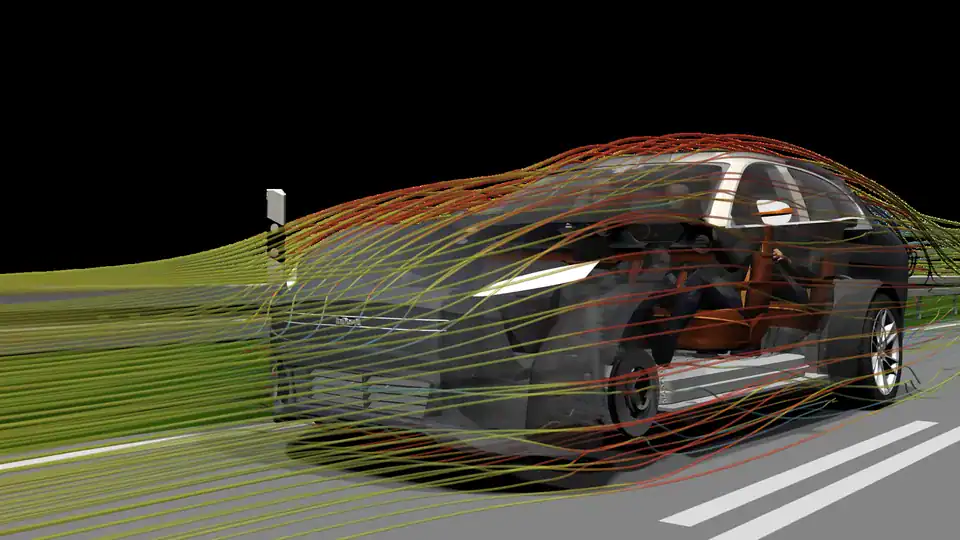
Streamlines coloured by velocity flowing around a car body
Streamlines around a vehicle. Image: Siemens.

The equations behind CFD

Most engineering CFD codes, Simcenter STAR-CCM+ included, solve the conservation of mass, momentum and energy for a fluid treated as a continuum. The momentum equation for a viscous fluid carries the names of Claude-Louis Navier (1822) and George Gabriel Stokes (1845), and the whole set is usually called the Navier–Stokes equations.

Mass

mass inmass outmass inmass outchange ofmass stored

(1) ∂ρ/∂t + ∇·(ρu) = 0

What flows in through the faces equals what flows out, plus the change of mass stored in the cell.

Momentum

carried incarried outpressuresheargravity

(2) ∂(ρu)/∂t + ∇·(ρuu) = −∇p + ∇·τ + ρg

The momentum carried through the faces, the pressure and shear on them, and gravity change the momentum in the cell.

Energy

heat inheat outcarried incarried outwork bypressurechange ofenergy stored

(3) ∂(ρE)/∂t + ∇·(ρEu) = −∇·(pu) + ∇·(τ·u) + ∇·(k∇T) + ρg·u

Energy carried with the flow, heat conducted through the faces and work done by pressure (and by shear and gravity) change the energy in the cell.

Mass, momentum and energy balances for one cell. Illustration, not a Simcenter result.

Here ρ is the density, u the velocity, p the pressure, g gravity, T the temperature, k the thermal conductivity and E the total energy per unit mass (internal plus kinetic). τ is the viscous stress tensor. For a Newtonian fluid it is linear in the rate of strain, τ = μ(∇u + ∇uT) − ⅔μ(∇·u)I, with Stokes’ hypothesis for the bulk viscosity, and with that stress law equation (2) becomes the Navier–Stokes momentum equation. For compressible flow an equation of state, such as the ideal gas law, links pressure, density and temperature. When the density can be taken as constant, equation (1) reduces to ∇·u = 0.

Why they are hard to solve

The difficult part is the convective term ∇·(ρuu). The velocity is carried along by itself, so the equation is nonlinear, and the solver has to work towards the answer in iterations. In incompressible flow there is also no separate equation for the pressure. It has to be found so that the velocity field satisfies continuity. Simcenter STAR-CCM+ couples the two with SIMPLE-type algorithms in its segregated solver, or solves them together in its coupled solver.

Exact solutions exist only for simple cases, such as fully developed laminar flow in a straight pipe. For anything with a real geometry the equations are solved numerically, cell by cell, and the rest of this page is about how that is done.

CFD basics: the steps of a simulation

Whichever code you use, CFD modelling goes through three phases: pre-processing (geometry, mesh, physics and boundary conditions), solving and post-processing. The order is not strictly one-way. You often go back to the mesh or the set-up when the first results show that something is missing.

  1. Geometry

    Clean up the CAD and extract the region where the fluid is

  2. Mesh

    Split that region into cells, finer where the flow changes fast

  3. Physics and boundaries

    Choose the models and set inlets, outlets and walls

  4. Solve and post-process

    Iterate until residuals and monitored values settle, then extract the results

  5. Check

    Converged, independent of the mesh and plausible? If not, go back

Refine the mesh or change the set-up (back to step 2, pre-processing)

Verify and validate GCI calculator

The steps of a CFD simulation. Illustration, not a Simcenter result.

Geometry and the fluid region

CFD needs the volume the fluid occupies, not the solid part. For a valve that is the inside of the body; for a car it is a large box of air around it. Small features that do not affect the flow, such as logos, small fillets or bolts far from the flow path, are usually removed at this stage, since each of them costs cells.

Discretisation and the finite volume method

The equations above hold at every point. A computer can only handle a finite number of values, so the fluid region is split into cells and the equations are written as balances for each cell. The mass, momentum and energy flowing in through the faces of a cell must equal what flows out plus what is stored. This is the finite volume method. Simcenter STAR-CCM+ uses it, and so have the most widely used general-purpose CFD codes for decades. What flows out of one cell enters its neighbour, so mass and momentum are conserved cell by cell. The result is a very large set of algebraic equations, one group per cell, that the solver works through over and over.

Solving and convergence

Each pass through the equations is an iteration. The residuals show how far the current solution is from satisfying the equations, and they should fall, typically by three to four orders of magnitude, and level off. Note that low residuals alone are not enough. We always monitor the quantities we are interested in, such as the drag force or the pressure drop, and stop when they no longer change. A converged solution on a poor mesh can still be wrong, which is what the mesh study further down is for.

Post-processing

This is where you look at what happened in the flow. Typical outputs are contour plots of velocity, pressure or temperature on a section, streamlines, surface plots such as wall shear stress, and the numbers for the report: forces, flow rates, pressure drops and heat transfer. Our drag coefficient calculator turns a force into a drag or lift coefficient.

Meshing in brief

The mesh is the set of cells the equations are solved on, and it decides much of the accuracy and the run time. A coarse mesh smears out the details of the flow, and refining everywhere quickly gets expensive. So you use small cells where the flow changes fast, near walls and in the wake, and larger cells elsewhere.

Simcenter STAR-CCM+ can build polyhedral, trimmed (mostly hexahedral) and tetrahedral cells, with thin prism layers along the walls. According to the documentation, a polyhedral mesh has about five times fewer cells than a tetrahedral mesh on the same surface.
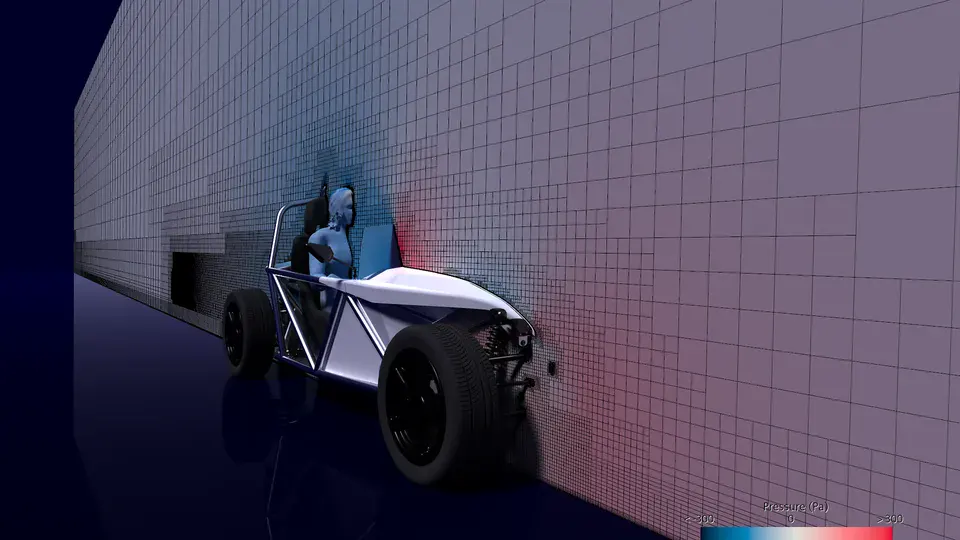
Cut through a CFD mesh around a car, with small cells near the body and larger cells further away
Volume mesh for a CFD simulation of the SimRod vehicle. Image: Siemens.

Near the wall

At a wall the velocity drops to zero over a thin boundary layer, and that layer decides the friction drag and the heat transfer at the wall. It is captured with thin, stretched prism layers. The wall distance y+ is the height of the first cell centre, made dimensionless with the friction velocity and the viscosity, so it tells you where that cell sits in the boundary layer. Either the layers go all the way down to the wall, with the first cell at a y+ of around 1, or the first cell sits further out, above a y+ of about 30, and wall functions bridge the gap. Simcenter STAR-CCM+ also has an all-y+ treatment that blends the two, depending on how fine the mesh is at the wall. The y+ calculator gives the height of the first cell for a given y+ before you mesh.

walltrimmed core cellsprism layersfirst cell (sets y+)free-stream velocityu(y)yedge of the boundary layerno-slip: u = 0 at the wallWall-resolved, y+ ≈ 1Thin layers go all the way to the wall,so the whole profile is resolved.Wall function, y+ above about 30wall functionThe first cell sits further out, and a wallfunction bridges the gap to the wall.free-stream velocityyedge of theboundary layeru(y)first cell (sets y+)prism layerstrimmed core cellsno-slip:u = 0 at the wallWall-resolved, y+ ≈ 1Thin layers go all the way to the wall,so the whole profile is resolved.Wall function, y+ above about 30wall functionThe first cell sits further out, and a wallfunction bridges the gap to the wall.
Prism layers at a wall and the velocity profile they resolve. Illustration, not a Simcenter result.

Adaptive mesh refinement

Many tools can also refine the mesh during the run, where the solution shows strong gradients. In one of our blog posts, Christoffer followed the flow around two cylinders in Simcenter FLOEFD. The run started on a coarse mesh of around 4,500 cells. Adaptive refinement took it to around 28,000, then 150,000 and finally around 750,000 cells, with the finest cells in the wake and along the cylinder walls, while the cells near the inlet stayed large.

However the mesh is made, you need to show that the answer no longer depends on it. That is the mesh study in the section on checking results.

Turbulence: RANS, LES and DNS

Laminar flow moves in smooth layers; turbulent flow is chaotic, with eddies of many sizes. The Reynolds number, the ratio of inertial to viscous forces, is the main parameter that decides which you have, and most flows in engineering are turbulent. Our Reynolds number calculator gives the regime for pipes, plates, cylinders and spheres, with a section on laminar vs turbulent flow, and our page on dimensionless numbers covers the related quantities.

The smallest eddies in a turbulent flow are far smaller than the cells of a typical engineering mesh, and resolving all of them is usually too expensive. You therefore have to decide how much of the turbulence to resolve and how much to model, and that choice is the main difference between the three families below.

RANSModels all turbulenceLESResolves the large eddiesDNSResolves every scalemore resolved, more computing timeRANSModels all turbulenceLESResolves the large eddiesDNSResolves every scaleTop to bottom: more resolved, more computing time
The same wake at three levels of detail: RANS, LES and DNS. Illustration, not a Simcenter result.
Turbulence approaches in CFD
ApproachResolvesModelsTypical use
RANSThe time-averaged flowAll turbulence, through the Reynolds stressesMost industrial work: k–ε, k–ω SST, Spalart–Allmaras
LESThe large, energy-carrying eddiesOnly the smallest scalesMainly research and lower Reynolds numbers, according to the Simcenter STAR-CCM+ documentation
DNSAll scalesNothingResearch at low Reynolds numbers
Hybrid (DES)LES away from wallsRANS near wallsSeparated flows where wall-resolved LES costs too much

RANS (Reynolds-averaged Navier–Stokes) splits the flow into a mean and fluctuations and models the effect of the fluctuations, usually through an eddy viscosity from one or two extra transport equations. It is the cheapest option and good enough for a large share of engineering questions. Run as a transient (URANS), it can also follow large-scale unsteadiness such as vortex shedding.

LES (large eddy simulation) resolves the large eddies in time and space and models only the small ones, so it needs a fine mesh and a transient run with many time steps. DNS (direct numerical simulation) resolves everything. For a boundary layer on a flat plate, published estimates put the grid points needed for DNS at roughly the Reynolds number squared or more, against close to linear growth for LES with wall models, which is why DNS stays a research tool. Hybrid methods such as DES use RANS in the boundary layers and LES in the separated regions. Simcenter STAR-CCM+ has the common RANS models, DES and LES.

In our badminton study with Chalmers, Christoffer simulated a serve in Simcenter STAR-CCM+ with the realizable k–ε model and, for one shuttle, with DES. The turbulence model had only a minor effect on the trajectory, while DES gave a somewhat lower drag. He also noted that the DES mesh had not been refined, so that comparison may need to be revisited. Folding the feathers had a much larger effect than the choice of model.

Pick a turbulence model for your case

Checking the result: verification and validation

Checking a CFD result has two parts. Verification checks that the equations were solved accurately enough. Validation checks that they are the right equations for the problem. Roache (1998), following Boehm and Blottner, put it as solving the equations right versus solving the right equations. The ASME V&V 20 standard covers both for CFD and heat transfer.

  1. Converge the run

    Residuals down by typically three to four orders of magnitude and the monitored values flat.

  2. Check the mesh

    Run the case on at least three systematically refined meshes and estimate the remaining discretisation error, for example with Roache’s grid convergence index (GCI), which uses a safety factor of 1.25 for three meshes.

  3. Check the inputs

    Boundary conditions, material data and models: which of them could move the answer?

  4. Compare with measurements

    Where test data exist, compare like with like, including the uncertainty of the measurement.

Worked example · computed by Volupe

The lid-driven cavity on four meshes

To show what a mesh study looks like in numbers, we ran the classic first test case for a CFD code ourselves. A square box is filled with fluid, and its lid slides sideways at a constant speed. The lid drags the fluid along and sets up one large vortex. We used a Reynolds number of 100 and wrote a small finite volume solver for it (a staggered grid with second-order central differences, run until the momentum residual was below 10−10). We then ran it on four meshes, from 32 × 32 to 256 × 256 cells, each twice as fine as the one before.

Lid-driven cavity at Re = 100, computed by Volupelid moves at speed 1x = 0.500.5100.51horizontal velocity u at x = 0.5height yzoom on the minimum32 × 32 cells64 × 64 cells256 × 256 cellsGhia et al. (1982)Lid-driven cavity at Re = 100, computed by Volupelid moves at speed 1x = 0.500.5100.51horizontal velocity u at x = 0.5height yzoom on the minimum32 × 32 cells64 × 64 cells256 × 256 cellsGhia et al. (1982)
Streamlines on the 256 × 256 mesh, and the horizontal velocity along the vertical centreline on the 32 × 32, 64 × 64 and 256 × 256 meshes, with the published values of Ghia, Ghia and Shin (1982) as circles. Computed by Volupe with our own finite volume code, not a Simcenter result.

On the full plot the curves lie on top of each other. The zoom shows the coarsest mesh drifting off near the minimum, and Ghia’s circles sitting a little beside our finest curve. The plot shows the 32 × 32 mesh rather than 128 × 128 because the difference is easier to see; the table uses the three finest meshes. The 256 × 256 run took about 18 minutes on one of our computers; the 32 × 32 run took less than a second. To put a number on the remaining error we took two values from the three finest meshes: the strength of the vortex (the minimum of the stream function, ψmin) and the lowest horizontal velocity on the centreline (umin).

Grid convergence of the lid-driven cavity (GCI after Celik et al., 2008)
MeshVortex strength ψminLowest velocity umin
64 × 64−0.103211−0.212811
128 × 128−0.103446−0.213739
256 × 256−0.103502−0.213967
Extrapolated−0.103520−0.214042
GCI, finest mesh0.021%0.043%

Each refinement cuts the change to about a quarter. The apparent order of accuracy is 2.06 for the vortex strength and 2.02 for the velocity, close to the formal order of 2 of the scheme, so the meshes are in the range where the GCI method applies. The GCI on the finest mesh is 0.021% for the vortex strength and 0.043% for the lowest velocity. This means that the uncertainty from the mesh in the lowest velocity on the 256 × 256 mesh is about 0.0001, with the lid moving at 1. Typed into our GCI calculator with the uncertainty rule set to Celik et al. (2008), the six-decimal values give the same GCI, 0.021% and 0.043%. The apparent order comes out at 2.07 and 2.03 there, because the inputs are rounded.

Our vortex strength, −0.1035, is within 0.1% of the −0.1034 that Ghia, Ghia and Shin published in 1982. Along the centrelines our velocities differ from their tables by at most 0.005 for u and 0.009 for v. This gap grows as our mesh gets finer, from 0.002 in u on the 32 × 32 mesh to 0.005, and stays at about 0.005 from 128 × 128 on. A gap that refinement does not reduce is not our discretisation error. Their values are a numerical solution too, with errors of their own, and we have not shown which of the two is closer to the exact answer.

Note that this example only covers verification. Comparing two computations checks the code and the solution, while validation needs measurements of a real flow. A laminar 2D cavity is also much simpler than a turbulent 3D flow, where the turbulence model becomes one of the main sources of error.

The flow at the top of this page is a second comparison with published reference values, this time on one grid and without a mesh study. It is the Schäfer–Turek benchmark, a cylinder in a channel at a Reynolds number of 100, where the wake sheds vortices from alternate sides. We ran it with a different kind of solver, a lattice Boltzmann code on a uniform grid with 60 cells across the cylinder. Instead of balancing fluxes through cell faces, it follows particle distributions on a regular lattice, which makes it simple to program on such grids but slightly compressible. The shedding frequency, as a Strouhal number of 0.302, and the peak lift and pressure difference are inside the intervals the benchmark gives. The peak drag coefficient, 3.248, is about 0.2% above its interval of 3.22 to 3.24. Halving the Mach number on a coarser grid lowered the peak drag by 0.4%, more than the gap, so the slight compressibility can explain it. The run also stopped at a time of 9, while the FEATFLOW reference values are taken between times 25 and 30, and we have not separated these effects from the grid error.

The GCI calculator does the same three-mesh calculation for your own results. The sources list at the end of the page says how we ran both cases. If you want a second pair of eyes on a mesh study or a validation plan, ask our support engineers, or see our CFD and FEA consulting page for project work.

CFD and physical testing

In most projects tests and simulations are used together. We use the tests to validate the simulation, and then use the simulation for the design variants in between. The table below shows what each of them gives you.

CFD and physical testing compared
CFDPhysical test
What you seeEvery variable everywhere in the modelThe quantities at the sensors
WhenBefore there is hardwareWhen there is a prototype
Changing the designEdit the geometry and run againBuild a new part
Main uncertaintyModels, mesh and boundary conditionsMeasurement error and test conditions

Limits of CFD

  • Turbulence models are approximations, and how well one works depends on the flow. Transition from laminar to turbulent flow and strong separation are typical weak spots.
  • Scale-resolving methods (LES, DES) resolve more of the physics but need much finer meshes and transient runs. The Simcenter STAR-CCM+ documentation advises checking that the grid resolution can be met before choosing them.
  • The boundary conditions are often one of the largest unknowns, for example the real inlet profile or the surface roughness.
  • User errors count too. In the first AIAA Drag Prediction Workshop (2001), 18 participants with 14 codes computed the same wing-body. On average the drag was fairly accurate, but the scatter was greater than desired, and some outliers were traced to errors in the participants’ own runs.

Where CFD is used

Siemens lists aerospace, automotive, chemical, consumer products, marine, electronics, energy, building services, life sciences, turbomachinery and sports among the industries where CFD is widely used. Here are six of them.
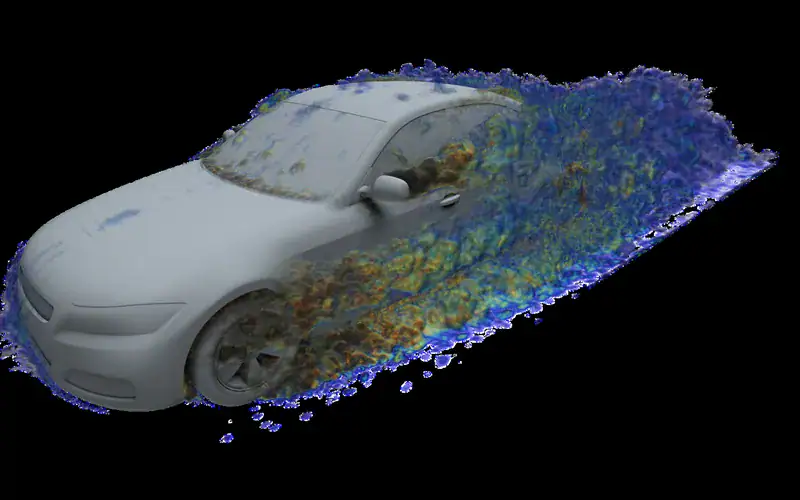
  • Automotive: Vehicle aerodynamics and thermal management
    Automotive

    Vehicle aerodynamics and thermal management

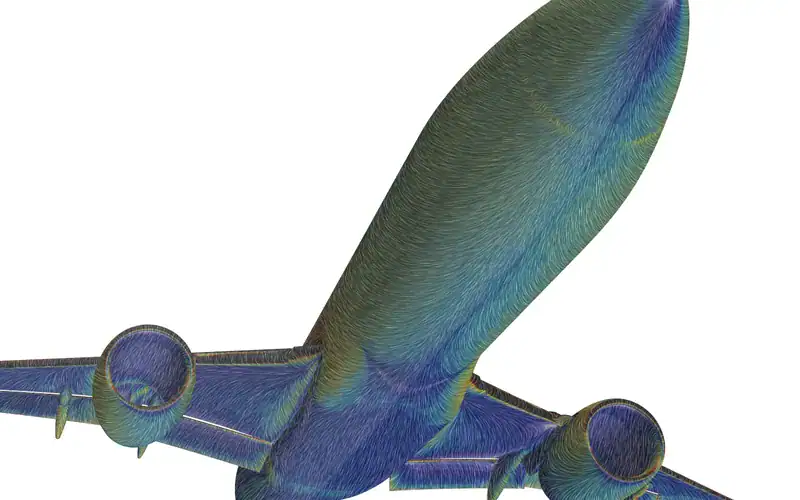
  • Aerospace: High-lift wings with flaps and slats deployed
    Aerospace

    High-lift wings with flaps and slats deployed

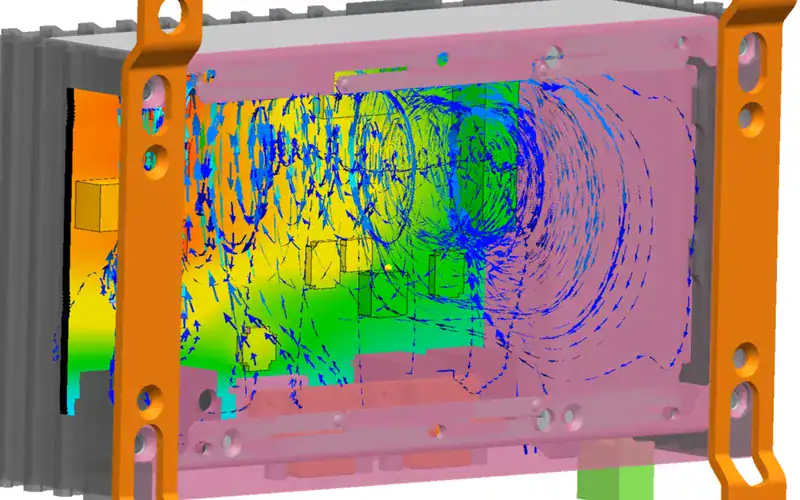
  • Electronics: Airflow and temperatures in an electronics enclosure, in Simcenter FLOEFD
    Electronics

    Airflow and temperatures in an electronics enclosure, in Simcenter FLOEFD

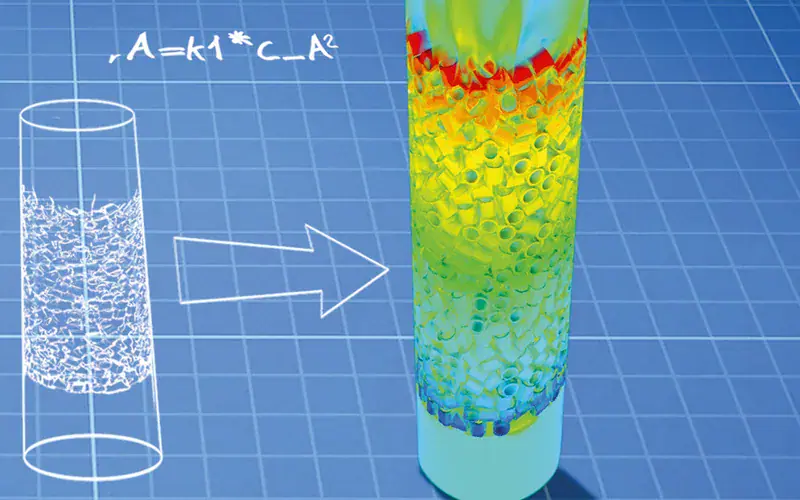
  • Chemical: Flow and heat transfer in a packed bed reactor
    Chemical

    Flow and heat transfer in a packed bed reactor

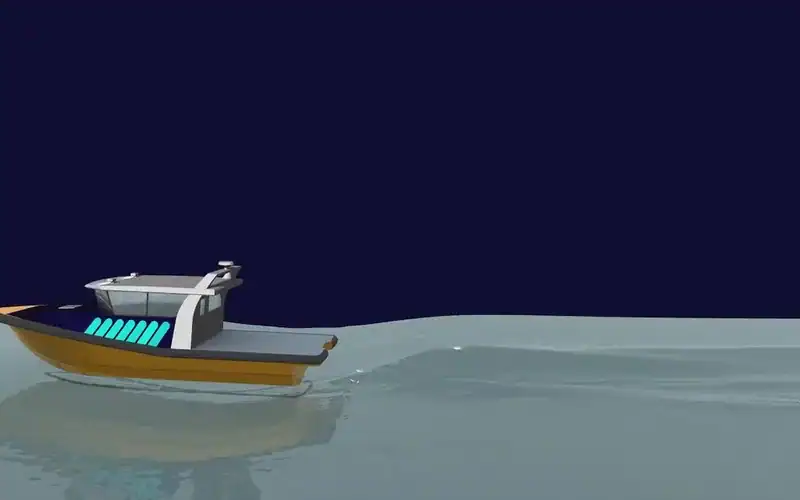
  • Marine: Self-propulsion of a planing hull in waves
    Marine

    Self-propulsion of a planing hull in waves

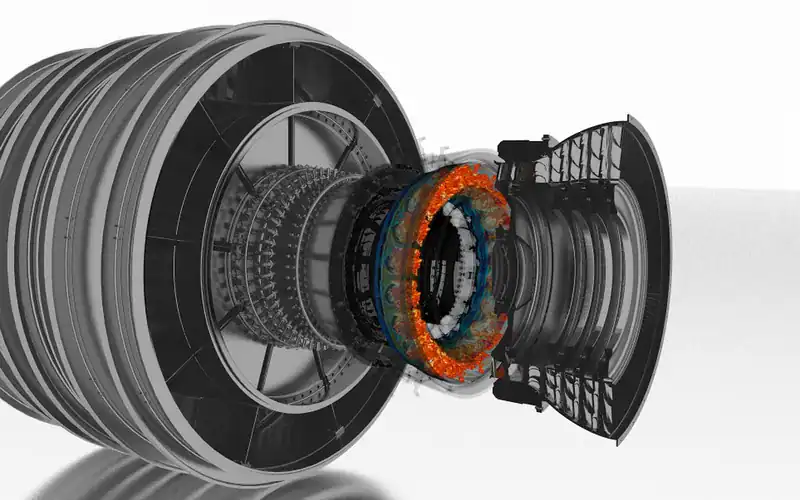
  • Energy and turbomachinery: Combustion in a gas turbine

    Energy and turbomachinery

    Combustion in a gas turbine

Images: Siemens.

CFD in Simcenter

Volupe works with the Siemens Simcenter tools. Which one fits depends on who runs the simulation and where the geometry lives.

Simulation specialists

  • Simcenter STAR-CCM+General-purpose CFD with meshing, turbulence, multiphase flow and heat transfer in one tool

Design engineers

Simcenter AcuSolve, a finite element CFD solver that came from Altair, is part of the portfolio too (see Altair simulation software is now part of Simcenter). The other tools are on our Simcenter products page, and our training courses start from the first set-up.

Starting with CFD, or checking a set-up?

Tell us what you want to simulate, or what you want to check in an existing model, and a Volupe engineer will suggest where to start.

Ask a Volupe engineerBook a demo

Fluid dynamics fundamentals in six videos

The six short videos below are by the YouTube channel The Efficient Engineer. Under each one we note where the topic shows up in a CFD set-up. Nothing is loaded from YouTube until you press play.

  • Understanding Bernoulli’s equation

    Along a streamline, faster flow means lower static pressure, which is a quick check on a simulated nozzle or venturi.

  • Aerodynamic drag

    Pressure drag and friction drag, and why the wake behind a blunt body costs so much.

  • Aerodynamic lift

    How a wing turns the flow, and why the pressure is lower on the upper surface.

  • Viscosity

    Where viscosity enters the equations, the diffusion term, and why the no-slip condition at walls gives a boundary layer.

  • Laminar and turbulent flow

    The Reynolds number and the change from smooth to chaotic flow. It tells you whether you need a turbulence model at all.

  • Conduction and the heat equation

    Heat conduction in solids, the part of a conjugate heat transfer run that happens inside the metal.

Introduction to CFD: a video course

Prof. S. A. E. Miller’s course on YouTube goes through the theory behind the numerical methods in 36 lectures. The card below lists the topics.

Video course · Prof. S. A. E. Miller · YouTubeIntroduction to CFDGrid generation, boundary conditions, numerical methods, convergence, visualisation and turbulence modelling in 36 lectures.Open the playlist on YouTube →

Sources and changelog

Sources

Show all sources

Siemens: Computational fluid dynamics (CFD) simulation, product pages Simcenter STAR-CCM+ and Simcenter FLOEFD, and the Simcenter blog posts SIMPLE and SIMPLEC (2023) and next generation meshing (2020). Statements about meshers, wall treatment, solvers and LES are from the Simcenter STAR-CCM+ documentation (version 2606).

NASA Glenn Research Center: Navier–Stokes equations; NPARC Alliance CFD verification and validation tutorial: CFD analysis process, iterative convergence, grid convergence, validation assessment and uncertainty and error.

Papers: P. J. Roache, Verification of codes and calculations (AIAA Journal, 1998); I. B. Celik et al., Procedure for estimation and reporting of uncertainty due to discretization in CFD applications (Journal of Fluids Engineering, 2008); U. Ghia, K. N. Ghia and C. T. Shin, High-Re solutions for incompressible flow using the Navier–Stokes equations and a multigrid method (Journal of Computational Physics, 1982); M. Schäfer, S. Turek et al., Benchmark computations of laminar flow around a cylinder (1996), with the case set-up and fine-grid values from the FEATFLOW benchmark pages (TU Dortmund) and the 1996 reference intervals as tabulated in arXiv:2408.06101 (table 2); D. W. Levy et al., Summary of data from the first AIAA CFD Drag Prediction Workshop (2002); X. I. A. Yang and K. P. Griffin, Grid-point and time-step requirements for DNS and LES (Physics of Fluids, 2021); H. Jasak, Error analysis and estimation for the finite volume method with applications to fluid flows (PhD thesis, Imperial College, 1996).

Background: Notes on CFD: general principles (CFD Direct); Claude-Louis Navier (MacTutor, University of St Andrews); ASME V&V 20-2009; Financial Conduct Authority, contracts for difference. Textbooks: H. K. Versteeg and W. Malalasekera, An Introduction to Computational Fluid Dynamics (2nd ed., 2007); J. H. Ferziger, M. Perić and R. L. Street, Computational Methods for Fluid Dynamics (4th ed., 2020); S. B. Pope, Turbulent Flows (2000).

Volupe blog posts by Christoffer Johansson: Solution adaptive meshing in Simcenter FLOEFD (2025) and Badminton simulations in Simcenter STAR-CCM+ (2024). Videos: The Efficient Engineer (YouTube); video course by Prof. S. A. E. Miller (YouTube, 36 lectures).

Our computations, both with our own Python codes: the lid-driven cavity at Re = 100, a finite volume code on a staggered grid with second-order central differences, four meshes from 32 × 32 to 256 × 256 cells, each run until the momentum residual was below 10−10, GCI after Celik et al. (2008), checked against our GCI calculator; the cylinder in the hero, the Schäfer–Turek case 2D-2, a lattice Boltzmann code (D2Q9) with 60 cells across the cylinder (1,321 × 246 nodes, peak Mach number 0.065, 216,000 time steps, about two hours on one processor core), giving a Strouhal number of 0.3019, peak drag coefficient 3.2477, peak lift coefficient 0.9954 and pressure difference 2.4826 (intervals 0.295–0.305, 3.22–3.24, 0.99–1.01 and 2.46–2.50). Other images: Siemens Simcenter image library.

Changelog

October 2026: rewritten as an introduction to CFD, with the equations explained, a worked example computed by Volupe and a list of sources.
27 October 2026: removed accuracy and cost figures we could not source, explained equation (2), updated the former Altair product names and credited the video course.

Questions about CFD

Simcenter STAR-CCM+ and Simcenter FLOEFD

Christoffer Johansson

Senior Application Specialist, M.Sc.

Choose “Technical question” in the form below and describe your case.

Ask a technical question →

What is CFD?

Computational fluid dynamics: predicting how liquids and gases flow, and how heat moves with them, by solving the conservation equations for mass, momentum and energy on a computer. The flow region is split into cells and the solver finds the velocity, pressure and temperature in each one.

What does CFD stand for in engineering?

Computational fluid dynamics. In finance the same abbreviation means a contract for difference, which has nothing to do with fluid flow.

What is CFD used for?

Typical examples are vehicle aerodynamics and thermal management, high-lift wings, electronics cooling, and flow and heat transfer in packed bed reactors. Siemens lists eleven industries where CFD is widely used, among them marine, energy, building services and turbomachinery; several of them are shown under Where CFD is used.

How accurate is CFD?

It depends on the flow and the set-up. In the first AIAA Drag Prediction Workshop, 18 participants computed the same wing-body. On average the drag was fairly accurate, but the scatter was greater than desired, and all methods underpredicted the drag at higher lift, which the authors read as drag from shock-induced separation not being captured. Check mesh independence and validate against measurements where you can.

What is verification and validation in CFD?

Verification checks that the equations were solved accurately enough, for example with a mesh study and the grid convergence index. Validation checks that they were the right equations for the problem, by comparing with measurements. The worked example on this page shows the verification part, with a mesh study on four meshes; validation needs measurements, which a computed benchmark cannot replace.

What is the difference between RANS, LES and DNS?

How much of the turbulence they resolve. RANS models all of it and is the most used in industry because it is the cheapest; LES resolves the large eddies and models the small ones, at a much higher cost; DNS resolves everything and is mainly a research tool. Hybrid methods such as DES combine RANS near walls with LES away from them.

What is a mesh in CFD?

The set of small cells the fluid region is split into. The equations are solved as balances for each cell, so the size and shape of the cells decide much of the accuracy and the run time. Near walls, thin prism layers capture the boundary layer.

Is CFD difficult to learn?

You can get a first result quickly. A result you can trust needs the basics of fluid mechanics, some experience of meshing and turbulence models, and the habit of checking. Our Simcenter training covers the set-up step by step, and our free templates for Simcenter STAR-CCM+ give you a starting point.

What is the difference between CFD and FEA?

CFD solves the flow of fluids, mostly with the finite volume method. FEA (finite element analysis) is mostly used for stresses, deformation and vibration in solids. The two are often coupled, for example in fluid–structure interaction. See FEA, explained.

Talk to an engineer in your region

Every Volupe business developer holds an engineering degree. Find your regional contact below, or send us a message.

Denmark and Central Eastern Europe

Lukas Johansson

Sales Director, M.Sc.

Norway, Finland and the Baltics

Carl Wanngård

Business Developer, M.Sc.

DACH region

David Fabis

Business Developer, M.Sc.

DACH region

André Hau

Business Developer, M.Sc.

Sweden

Fredrik Liljedahl

Business Developer, M.Sc.

Europe

Henrik Pahlitzsch

Business Developer, M.Sc.

Iberia

Mikel Sevilla

Business Developer

Ask us about CFD (computational fluid dynamics)

Use this form for licence quotes, demos, training and technical questions.

What happens next

  1. A reply within one day.
  2. A scoping call with one of our engineers.
  3. A quote, demo or other next step that fits your enquiry.

After purchase: support from Volupe simulation engineers.

For a quote, the number of users, modules and your timeline help us answer faster.
See how we handle your details in our privacy policy.
Scroll to Top