The retirement of the STEVE portal and POD license access

Robin VictorSenior Application Specialist
Written in 2020. Menus and defaults may differ in newer releases.
In short
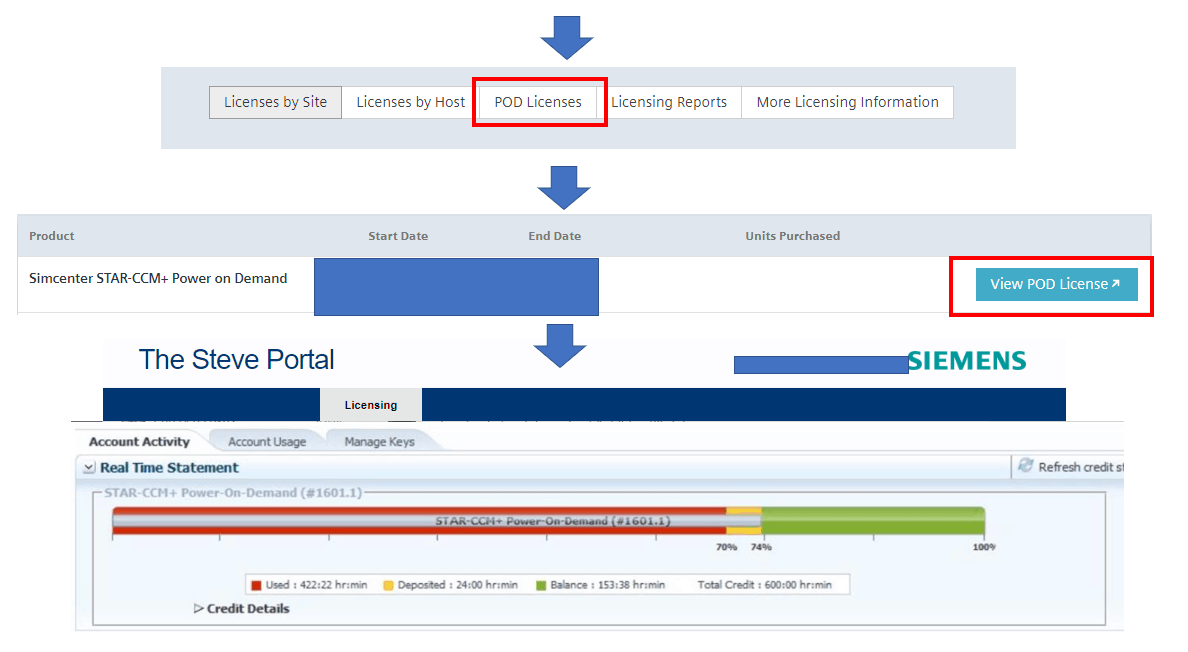
The STEVE portal for former CD-adapco software was retired, and its knowledge base, product updates and licence information moved to Siemens Support Center. Register there yourself with your site ID (Sold-To) and webkey access code; Power on Demand keys are managed via Licenses, POD Licenses, View POD Licenses.
Today is the day when the Steve Portal is retired. We will all miss to see this after keeping an eye on our old CD-adapco based software’s: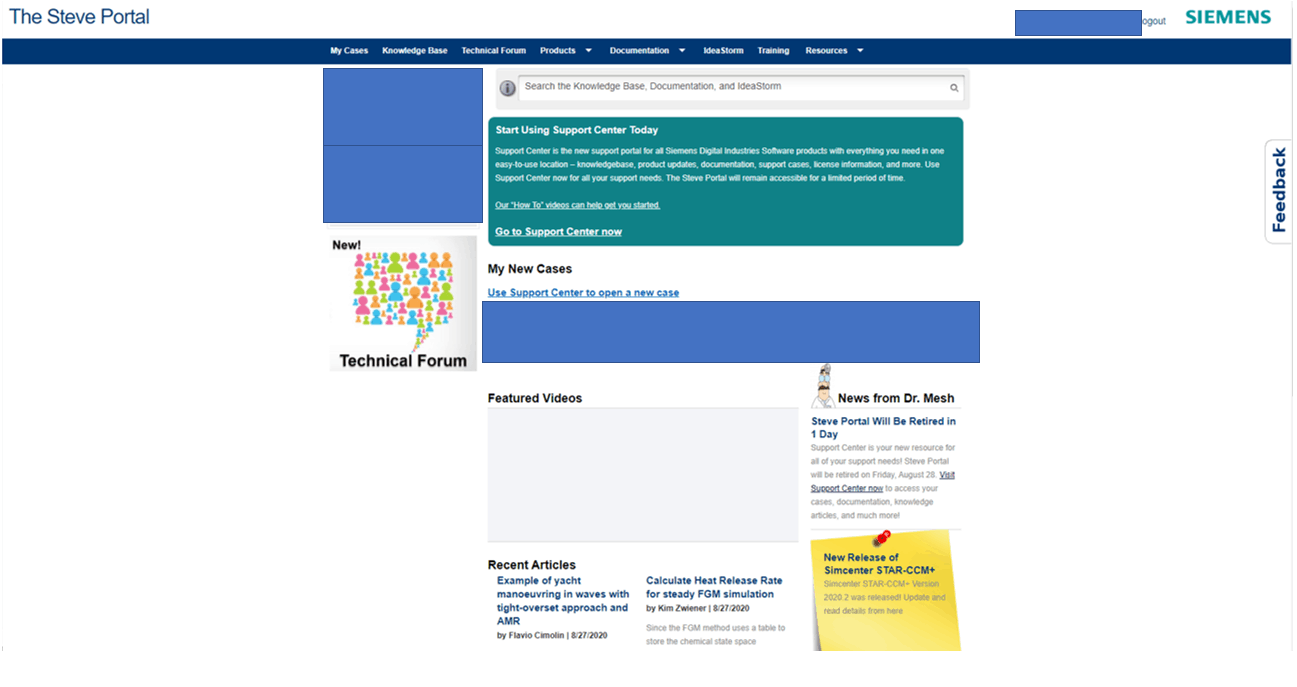 We will miss the news from Dr. Mesh, that has helped us throughout the years. The capabilities of the Steve Portal will however live on in the new Siemens Support Center.
 Registering on the support center is now made by the user directly. To register go to https://support.sw.siemens.com/en-US/ and follow the instructions provided in this video: https://www.youtube.com/watch?v=53Ww_Rnr5QU&list=PL1m1vu8_quoB_ieAG9KrlqFLDurjNzrOD&index=2&t=0s (please copy the link and paste in your browser)To complete the registration, you will need to provide your site-ID/Sold-To and your webkey access code. Those are stated in your license at exemplified below.


 Note also that if you are new to POD-licenses you need to be activated as a user at Siemens to be able to manage you POD hours. This is done by contacting your DSE. Below is a link to an article about “How to avoid unexpected usage of POD hours”: https://support.sw.siemens.com/knowledge-base/KB000015478_EN_USAnd as usual if you have any question do not hesitate to send us a question at support@volupe.com.Read also:
All Simcenter products
Volupe Support
Blog posts Volupe
Star-CCM+ Job Scheduler
We will miss the news from Dr. Mesh, that has helped us throughout the years. The capabilities of the Steve Portal will however live on in the new Siemens Support Center.Siemens Support Center
Siemens Support Center is the new portal for all Siemens Digital Industries Software products with everything you need in one easy-to-use location – knowledgebase, product updates, documentation, license information, and more. All articles available on Steve Portal is now also available at the support center.Registering on the support center is now made by the user directly. To register go to https://support.sw.siemens.com/en-US/ and follow the instructions provided in this video: https://www.youtube.com/watch?v=53Ww_Rnr5QU&list=PL1m1vu8_quoB_ieAG9KrlqFLDurjNzrOD&index=2&t=0s (please copy the link and paste in your browser)To complete the registration, you will need to provide your site-ID/Sold-To and your webkey access code. Those are stated in your license at exemplified below.
POD
When you manage you POD-keys you will follow the procedure below. In the last step you will be sent to the same page as the before on the Steve Portal. As for now you will still manage your POD keys in the same way. But you need to access the page via support center. On the initial page of support center, press Licenses → POD Licenses → View POD Licenses. This will send you to the same place as before on Steve to manage your POD keys. Se the picture below to learn the procedure.Note also that if you are new to POD-licenses you need to be activated as a user at Siemens to be able to manage you POD hours. This is done by contacting your DSE. Below is a link to an article about “How to avoid unexpected usage of POD hours”: https://support.sw.siemens.com/knowledge-base/KB000015478_EN_USAnd as usual if you have any question do not hesitate to send us a question at support@volupe.com.Read also:
All Simcenter products
Volupe Support
Blog posts Volupe
Star-CCM+ Job Scheduler