Faster simulations with rotating bodies using Boundary Interface Caching in Simcenter STAR-CCM+

Johan BernanderSenior Application Specialist
In short
Boundary Interface Caching, new in Simcenter STAR-CCM+ 2502, stores interface intersections during the first revolution and reuses them, if the time step makes rotation angles repeat. It needs metrics-based connectivity and works only between stationary and rotating regions; a fan in a duct ran about 15 % faster.
Running simulations with rotating bodies typically involves the use of interfaces, along with a repeated process of interface intersection. The interface intersection process is a necessary evil, needed to establish an accurate connection between the separate regions for each time-step, and can sometimes be a noticeable bottleneck for rotating simulations. But since the release of Simcenter STAR-CCM+ 2502, there is now a way to improve the situation, with the introduction of Boundary Interface Caching.
How it works
Let’s start with establishing the prerequisites for using this new feature. First off, you must use Metrics-Based connectivity for the interface.
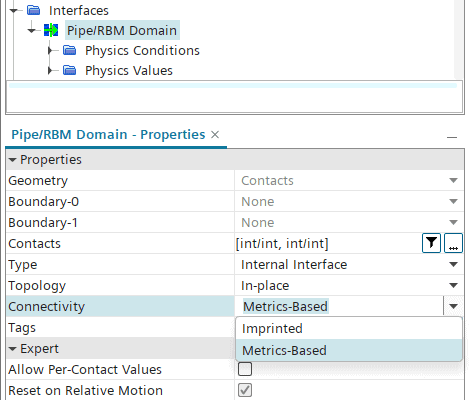
Secondly, Boundary Interface Caching is available only for interfaces between stationary and rotating regions. Hence it will not work between rotating regions with different rotation rates.
Now, the way the feature works is that for the first full revolution of the rotating region(s), each intersection data is stored (i.e. cached) for every specific rotational angle. This means that for the upcoming revolutions, the stored intersection data can be reused, hence omitting the need for another interface intersection procedure. For the caching to work, the rotational angles must be periodically repeated for each revolution, meaning that you must choose the rotation rate and time-step so that the sequence of rotational angles recur.
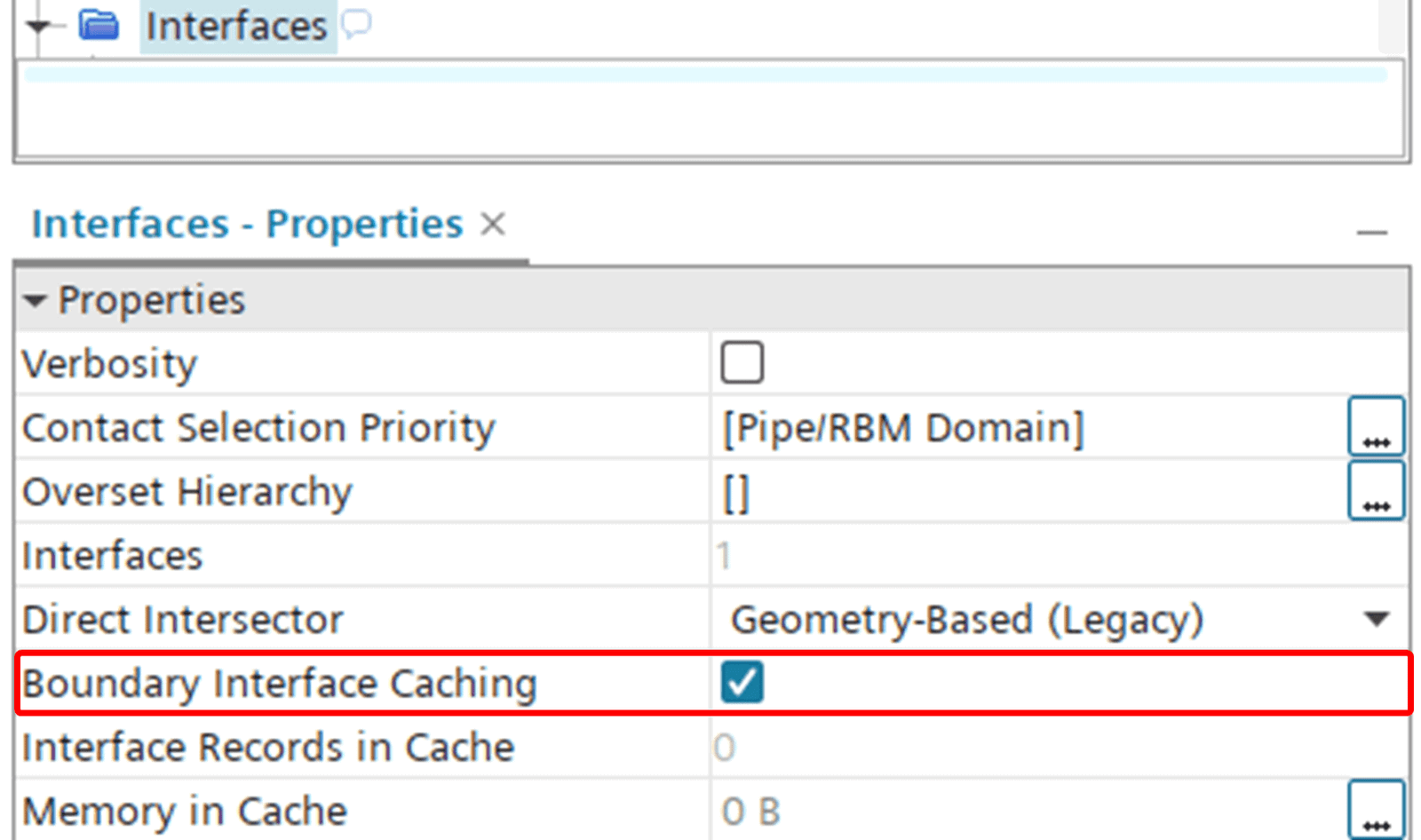
The main functionality is enabled at the Interfaces top level as depicted below.
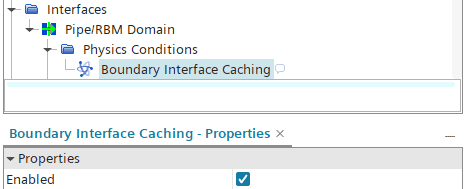
Next, the feature must be enabled for individual interfaces. This allows for using caching for a selected number of interfaces (and not necessarily all).
The full setup process is very well described in the Simcenter STAR-CCM+ User Guide with an easy-to-follow step-by-step instruction. The guide can be found here:
Caching Sliding Interfaces at Repeated Rotational Angle
How it performs
The amount of speed-up that the Boundary Interface Caching can achieve is obviously dependent on how much of a bottleneck the intersection process really is. As an attempt to demonstrate the potential gain in simulation speed we will consider a simple example with a fan inside a cylindrical duct (pictured below).
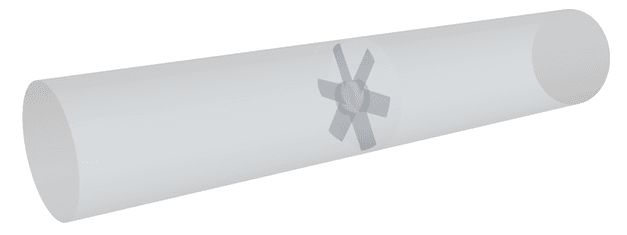
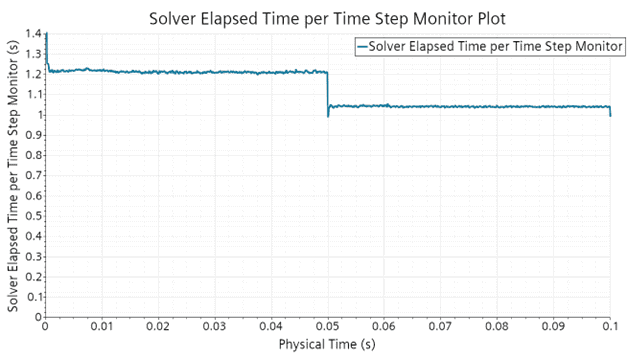
The fan is set to spin with 20 revolutions per second, with a chosen time-step size to match a 1 degree rotational offset. We let the case run for 0.1 second total simulated time, in order to allow for two full rotations: the first rotation for sampling, and the second rotation for utilizing the caching. The case is about 100’000 cells and is run on 5 cores.
Monitoring the Solver Elapsed Time per Time-Step we get a good overview of the time needed for each time-step throughout the two revolutions. As you can see in the plot below, there is a notable shift after 0.5 seconds of Physical Time, where the sampling is finalized and the solver starts using the cached intersection data. For this particular setup, the speed-up is around 15%.
I hope this feature will come to use for your simulations with rotating bodies. As always, you are welcome to send in any questions or comments to support@volupe.com.