Register to Support Center – How?

Robin VictorSenior Application Specialist
In short
In this post, you will learn steps to take to get access to Siemens Support Center.
In this week’s blog post, we will try to straighten out the process of getting access to Siemens Support Center. Support Center is a very helpful tool in finding Siemens material and downloads of the different software you have bought.
We often get the question if we at Volupe can add people to Support Center. However, Support Center is a Siemens system over which we at Volupe have no access or control. What is good though is that access for a new user is requested via a self-service desk. In this post we will describe the steps you need to take to request access. On a company level, there is an administrator for the users tied to a company. The administrator should invite new users to the company Support Center group. This procedure will also be shown in this blog post, so we will cover both ways to get access – registration and invitation. Note that the administrator also can provide administrator rights to other users who can in turn invite more new users.
Registration for a new user
This link will take you to the page shown below; Siemens DISW Customer Center. From there on, follow the instructions. You will land on Customer Center, and you go to Support Center in a couple of clicks.
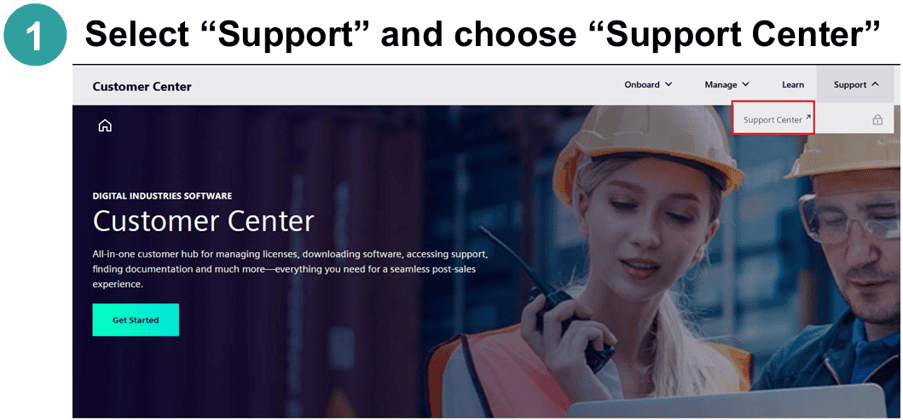
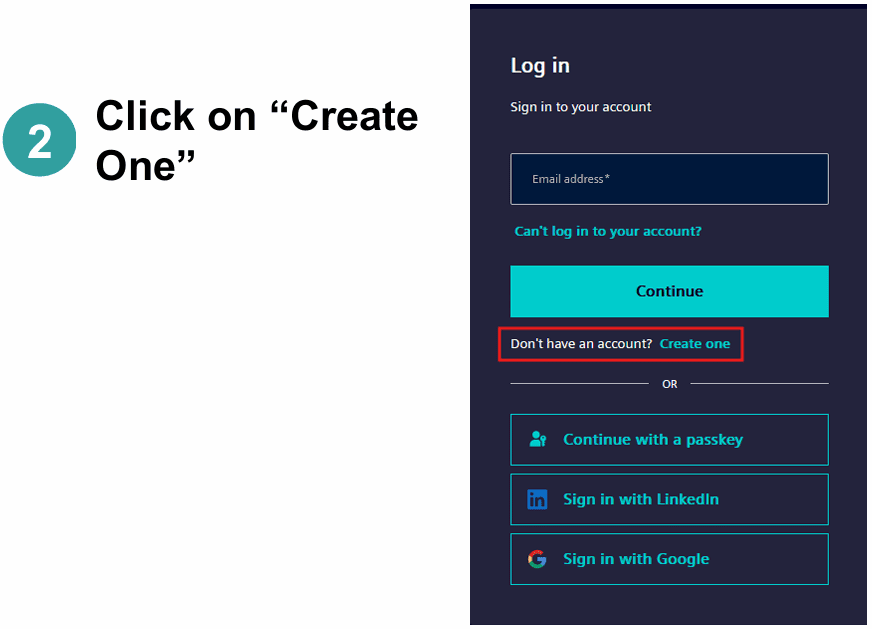
When you click on Support Center, you will be opted to log in using your email. As a new user, you instead click “create one”, referring to the fact that you do not yet have an account.
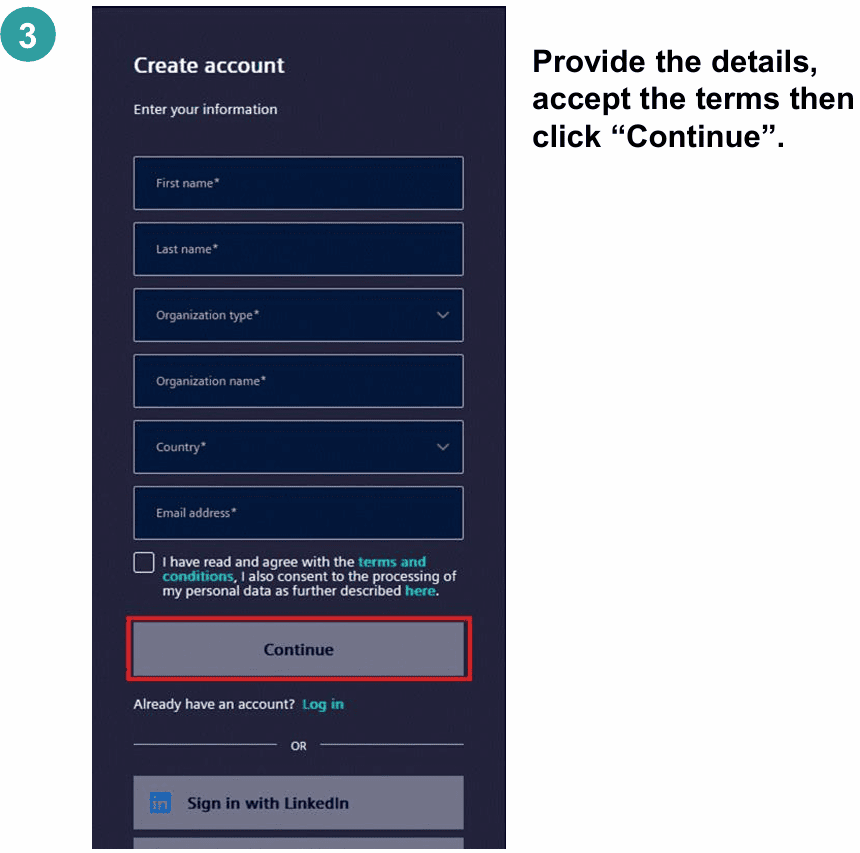
You fill out your details according to step 3 in the picture below.
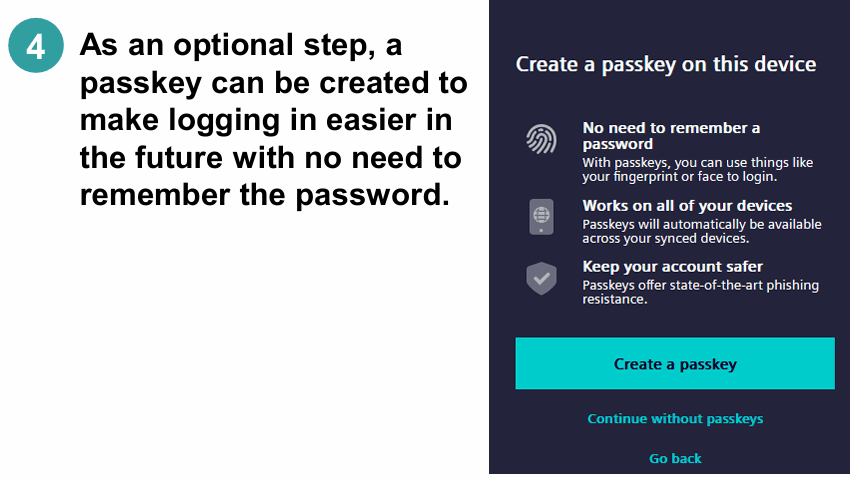
Step 4 is an optional step you can choose for brevity for future logins. But you can also select “continue without passkeys”.
At step 5 you set your password accordingly.
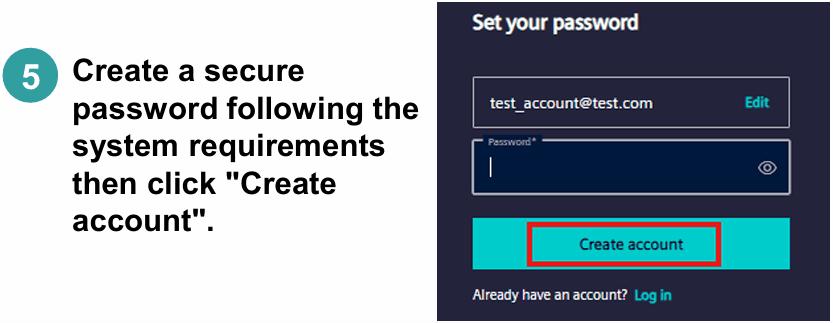
At step 6 and 7 you verify your email by duplicating the verification code sent to the email you provide in the registration.
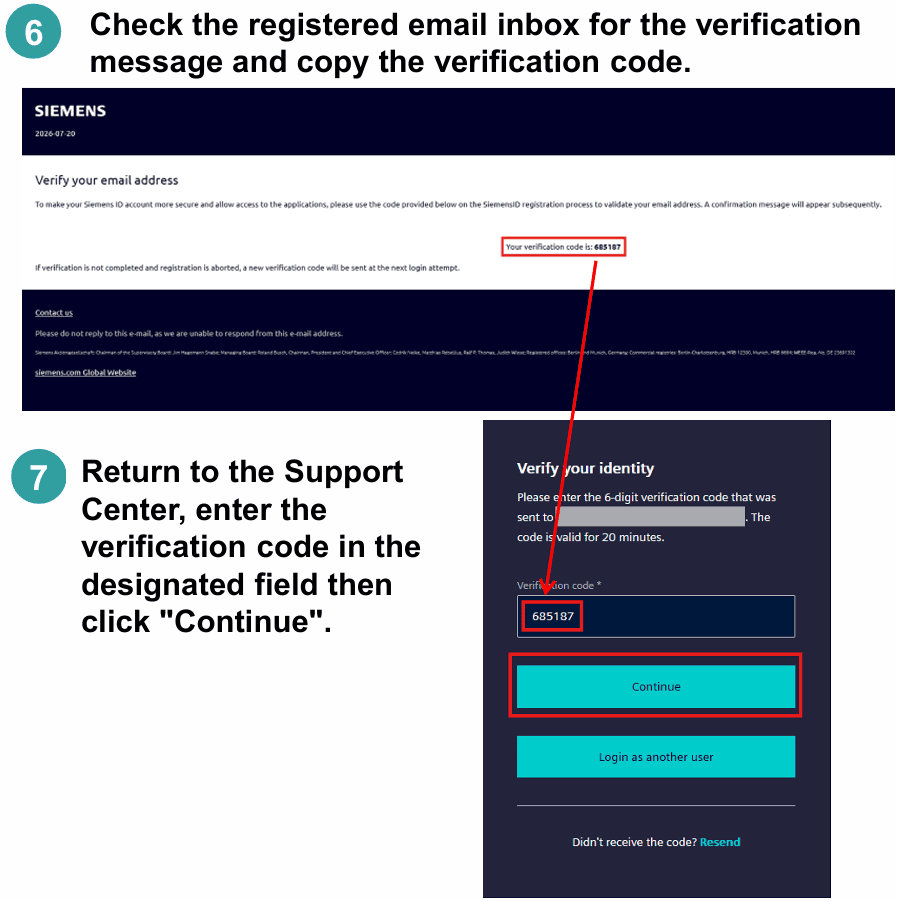
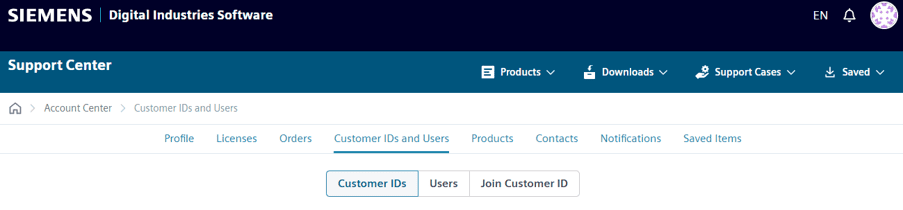
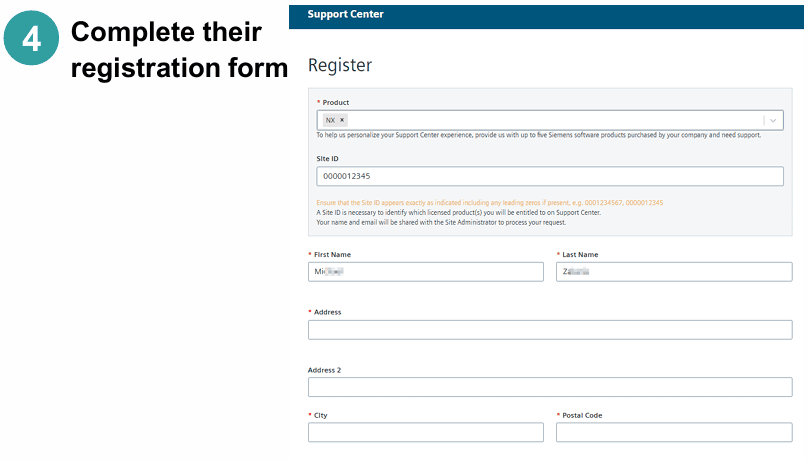
In step 8 you need to provide additional information related to your company’s product purchase. The site ID referred to on the second row of step 8 is a number that provides access to the software related to that site. The site ID is the same thing as sold-to (sometimes also known as MDH-ID) for these purposes. If you leave this row empty (possible, since there is no requirement to fill it out) you will, once you have access to Support Center, NOT have access to any specific software. Meaning that you will not find specific information for any software or have the option to download installation files for any software. While it is possible to “join site” later for the correct access, you are advised to fill this in sooner rather than later. So where can you find the information? There are two ways in general. The first option is that one of your colleagues looks at this menu on their user information in Support Center. That location lists all the customer IDs associated with your company.
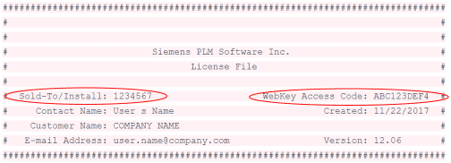
The other option is that you look at the license file for the software. It will look something like the picture below, where Sold-to/install is the same thing as site ID without the 3 “zeroes” before.
We highly recommend any company onboarding process to disclose the site-ID for a rapid process every time a new user is requesting access.
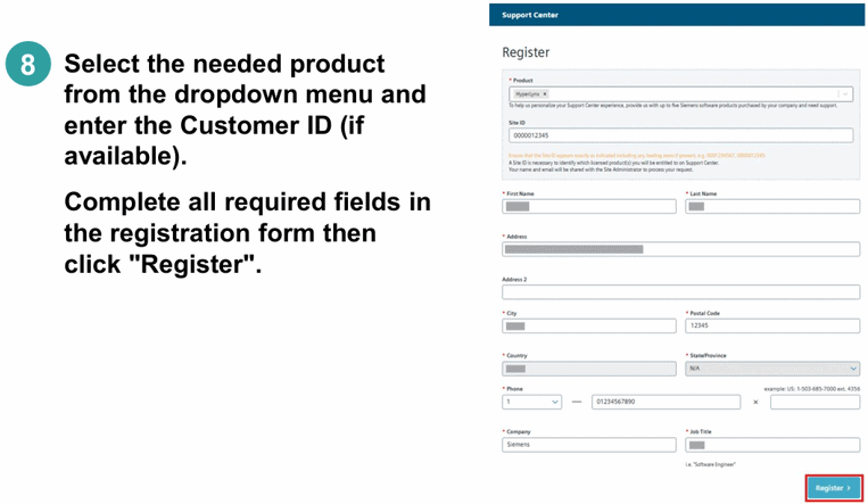
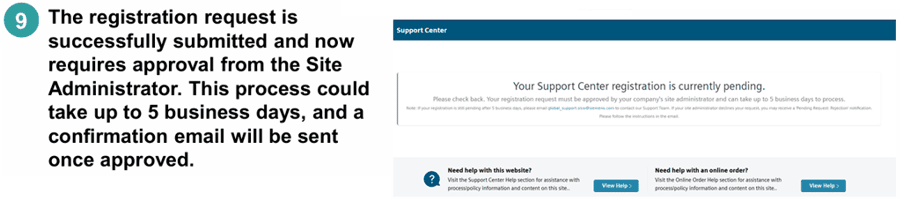
Once all the information is filled out, you will get the information that your registration is pending. This can take up to 5 days to process as this is manually processed by Siemens. Volupe has requested this process to be reviewed by Siemens so a quicker onboarding can happen, we hope for a decreased waiting time.
Invite a new user
Now, let’s take a look at how to invite a new user, which the administrator, or a member with administrative rights, can do.
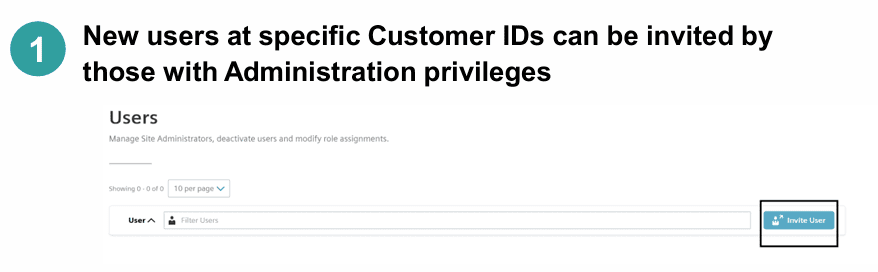
This initiation will provide you with an email and the subsequent “Registration link” will take you to creating an account.
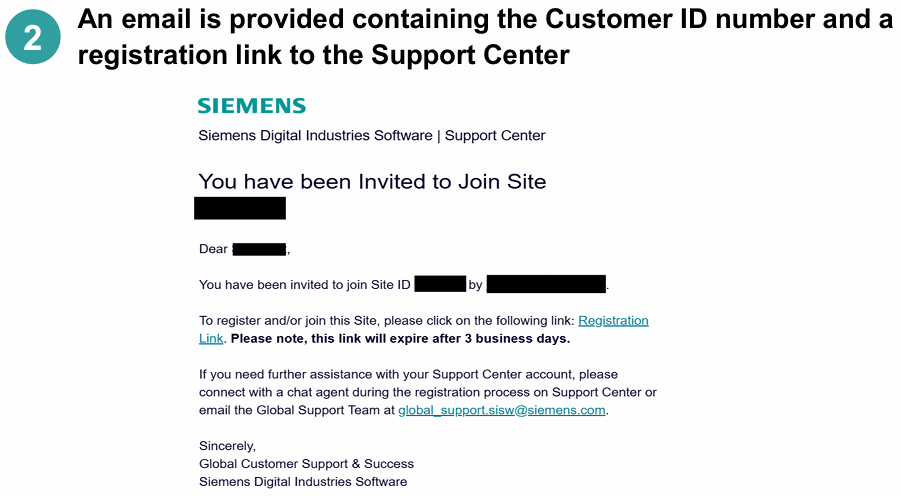
Here you do not need a site ID as you have been invited to a specific one by the person inviting you.
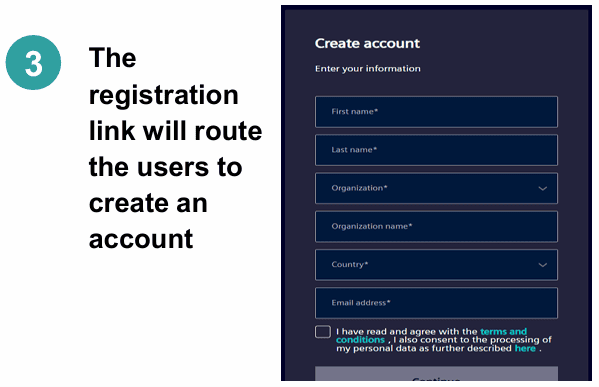
In the last step, you need to provide all the relevant information to complete the registration.
We hope that this can help you access your Support Center account with the relevant products as soon as possible. Reach out to support@volupe.com with any questions.